Restock your best sellers before they run dry
Every morning, WebRun signs in to your Shein seller account, reads remaining stock and recent sales velocity for each active listing, works out how many days of cover is left, WhatsApps you anything with under a week, and posts the full restock list to Microsoft Teams.
- No credit card
- Under $0.01 per run
- Cancel anytime
How do I know which products are about to sell out on my store?
WebRun signs in to your Shein seller account each morning, reads remaining stock and the last seven days of sales for every active listing, and calculates days of cover. It WhatsApps you anything with under a week left and posts the full restock list to Microsoft Teams, grouped for ordering.
- Best sellers get reordered while they are still in stock
- Days of cover replaces guesswork about what is running low
- The restock list arrives grouped by supplier, ready to order
Built for marketplace sellers · ecommerce operations · inventory planners · small brands
What does WebRun do on every run?
The exact actions WebRun takes, in order - in plain language, so you can adjust anything.
-
WebRun signs in and gets to work
Opens
shein.comin a real browser with your saved login - no setup, no API keys. -
1
Shein - read stock and recent sales
shein.com
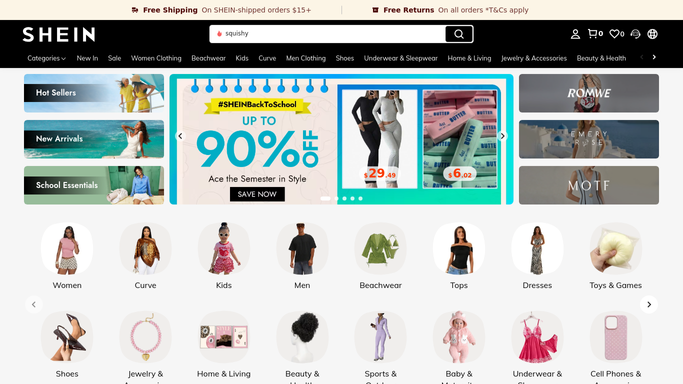
WebRun opens Shein to read stock and recent sales. - Sign in to your Shein seller account and open the listing and inventory view
- Capture remaining stock per variant along with units sold over the last 7 days
- Divide stock by daily sales rate to get days of cover, and note listings already showing as out of stock
Done when Every active listing has a stock figure, a sales rate and a days-of-cover number.
-
2
WhatsApp - alert you to imminent sell-outs
whatsapp.com How to Automate WhatsApp

WebRun opens WhatsApp to alert you to imminent sell-outs. - WhatsApp you the listings with under 7 days of cover
- Lead with your highest revenue lines, since those cost the most to have out of stock
- Include the variant, the units left and the days of cover in one line each
Done when You know which lines are about to sell out.
-
3
Microsoft Teams - post the full restock list
microsoft.com How to Automate Microsoft Teams

WebRun opens Microsoft Teams to post the full restock list. - Post the full restock list to your operations channel in Microsoft Teams
- Group by supplier or product family so a single purchase order covers several lines
- List anything already out of stock separately with how long it has been unavailable. WebRun never edits a listing or a stock figure itself
Done when The operations channel has today's restock list grouped for ordering.
How is each run configured?
Secure by default
Connect once, stays signed in
WebRun signs in once and keeps each session in a persistent environment, so every run picks up right where it left off.
Every action is checked against this policy before it runs.
Questions, answered
Will it change stock levels or edit my listings?
No. WebRun reads stock and sales figures and reports them. It never edits a listing, never adjusts a stock count, never changes a price, and never places a purchase order. Those stay with your team.
How is days of cover worked out?
It divides the units remaining by the average daily units sold over the last 7 days. A line selling 10 a day with 40 left shows 4 days of cover, which is why it appears in the WhatsApp alert.
Does it contact suppliers or customers?
No. The only messages it sends are the WhatsApp alert to you and the Teams post to your own operations channel. No supplier and no customer ever hears from it.
Related templates
Put this on autopilot.
Turn it on in minutes - or have our team set it up for you.