Get a weekly report on what Reclaim protected for you
Every Friday afternoon, WebRun opens Reclaim, reads how many hours of habits and tasks were protected on the calendar this week and how many events got auto-rescheduled around conflicts, saves a short report into Google Drive, and posts the same highlights to Slack so the team sees the week's calendar defense at a glance.
- No credit card
- Under $0.01 per run
- Cancel anytime
How do I see how much time Reclaim actually protected each week?
Every Friday, WebRun reads how many hours of habits and tasks Reclaim protected on the calendar that week and how many events it auto-rescheduled around conflicts, saves a short report into Google Drive, and posts the highlights to Slack. Teams see the real value of calendar defense weekly, without pulling the numbers out of Reclaim by hand.
- Protected time is visible every Friday instead of buried in Reclaim's dashboard
- A dated report builds up in Drive without manual exporting
- Teams see the real return on habit and task scheduling weekly
Built for Engineering managers · operations leads · remote team managers · productivity coaches
What does WebRun do on every run?
The exact actions WebRun takes, in order - in plain language, so you can adjust anything.
-
WebRun signs in and gets to work
Opens
app.reclaim.aiin a real browser with your saved login - no setup, no API keys. -
1
Reclaim - read the week's scheduling activity
reclaim.ai
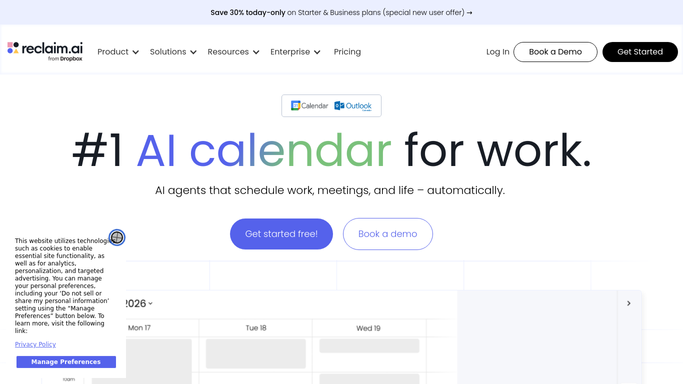
WebRun opens Reclaim to read the week's scheduling activity. - Open Reclaim and check the week's habit and task scheduling
- Read hours protected for habits and tasks
- Count how many events were auto-rescheduled around a conflict
Done when This week's protected hours and reschedule count are captured.
-
2
Google Drive - save the weekly report
drive.google.com How to Automate Google Drive

WebRun opens Google Drive to save the weekly report. - Open the weekly reports folder
- Save a short report with this week's numbers
- Name the file with the week's date range
Done when This week's report is saved and named in Drive.
-
3
Slack - post the highlights
slack.com How to Automate Slack

WebRun opens Slack to post the highlights. - Post the week's highlights to the team channel
- Include protected hours and events auto-rescheduled
- Link to the saved report in Drive
Done when The weekly highlights are posted in Slack.
How is each run configured?
Secure by default
Connect once, stays signed in
WebRun signs in once and keeps each session in a persistent environment, so every run picks up right where it left off.
Every action is checked against this policy before it runs.
Questions, answered
Does WebRun change any Reclaim scheduling settings?
No. It only reads the week's activity and reports it. Adjusting habits, priorities, or task settings stays inside Reclaim, done by you.
What counts as an auto-rescheduled event?
Any habit or task Reclaim moved on its own to resolve a new conflict on the calendar, counted for the week and included in the report.
Can I get a report per team member instead of the whole team?
Yes. Point WebRun at each person's Reclaim account and it saves and posts a separate weekly report per person.
Related templates
Put this on autopilot.
Turn it on in minutes - or have our team set it up for you.