Reorder before your Rakuten listings sell out
Every morning, WebRun signs in to your Rakuten shop, reads the stock figure on every live listing, updates each item's row in an Airtable reorder tracker, works out how many days of cover is left at the recent sales rate, and posts anything under its reorder point to Microsoft Teams before the buying team starts.
- No credit card
- Under $0.01 per run
- Cancel anytime
How do I get alerted when Rakuten listings are running low on stock?
WebRun signs in to your Rakuten shop every morning, reads the stock figure on every live listing, and updates an Airtable tracker with units sold and days of cover. It then posts everything under its reorder point to Microsoft Teams, so the buying team reorders before a listing sells out.
- Fast movers are reordered before they hit zero
- Days of cover is calculated daily without a spreadsheet chore
- The buying channel only lights up when something needs ordering
Built for Rakuten shop owners · ecommerce buyers · inventory planners · Japanese marketplace sellers
What does WebRun do on every run?
The exact actions WebRun takes, in order - in plain language, so you can adjust anything.
-
WebRun signs in and gets to work
Opens
rakuten.co.jpin a real browser with your saved login - no setup, no API keys. -
1
Rakuten - read stock on every listing
rakuten.co.jp
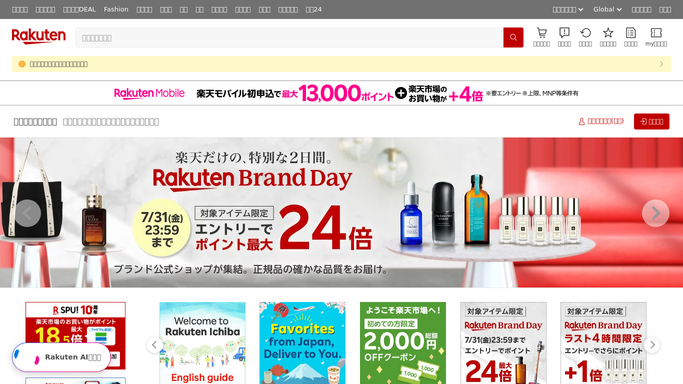
WebRun opens Rakuten to read stock on every listing. - Sign in to your Rakuten shop account and open the item and inventory list
- Read the current stock figure for every live listing, including each variation
- Note any listing showing zero stock or already hidden because it sold out
- Capture the item code and title so each row lines up with the tracker
Done when Every live listing has a current stock figure captured.
-
2
Airtable - update the reorder tracker
airtable.com How to Automate Airtable

WebRun opens Airtable to update the reorder tracker. - Open your inventory base and update today's stock figure on each item row
- Compare with yesterday's figure to work out units sold
- Calculate days of cover left at the recent sales rate and write it to the row
- Set a needs-reorder flag on anything under the reorder point you defined for that item
Done when Every tracked item has today's stock, its units sold, and its days of cover.
-
3
Microsoft Teams - flag what to reorder
microsoft.com How to Automate Microsoft Teams

WebRun opens Microsoft Teams to flag what to reorder. - Post the reorder list to your buying channel in Microsoft Teams
- Put items already at zero at the very top, then the shortest days of cover
- Give each line the item title, the units left, and the days of cover
- Skip the post when nothing is under its reorder point
Done when The buying team has today's reorder list in Teams.
How is each run configured?
Secure by default
Connect once, stays signed in
WebRun signs in once and keeps each session in a persistent environment, so every run picks up right where it left off.
Every action is checked against this policy before it runs.
Questions, answered
Will it place purchase orders with suppliers?
No. WebRun never orders stock, never emails a supplier, and never spends money. It reads your Rakuten listings, updates the Airtable tracker, and posts an internal reorder list for your buyer to act on.
Does it edit my Rakuten listings?
No. WebRun only reads stock figures in your shop. It does not change prices, edit descriptions, hide listings, or adjust inventory counts, so nothing on your storefront moves.
How is days of cover worked out?
From the change in stock between runs. WebRun compares today's figure with yesterday's to get units sold, then divides the remaining stock by that recent rate.
Related templates
Put this on autopilot.
Turn it on in minutes - or have our team set it up for you.