Keep bounced and unsubscribed contacts out of your sends
Every Monday, WebRun opens Ortto, reads last week's email campaign reports, collects every hard bounce and unsubscribe with the campaign and audience it came from, logs each contact in Airtable, and files a ready suppression list in Google Drive for you to apply.
- No credit card
- Under $0.01 per run
- Cancel anytime
How do I keep bounced and unsubscribed contacts out of my email list?
Every Monday WebRun opens Ortto, reads last week's campaign reports, and pulls out every hard bounce and unsubscribe. It logs each contact in Airtable with the campaign it came from and files a suppression list in Google Drive for you to apply, so deliverability stops quietly decaying.
- Bounces and unsubscribes are collected weekly, not at audit time
- Deliverability stops decaying between campaigns
- No contact is removed without a human approving the list
Built for email marketers · lifecycle marketing teams · growth teams · agencies
What does WebRun do on every run?
The exact actions WebRun takes, in order - in plain language, so you can adjust anything.
-
WebRun signs in and gets to work
Opens
ortto.comin a real browser with your saved login - no setup, no API keys. -
1
Ortto - read bounces and unsubscribes
ortto.com
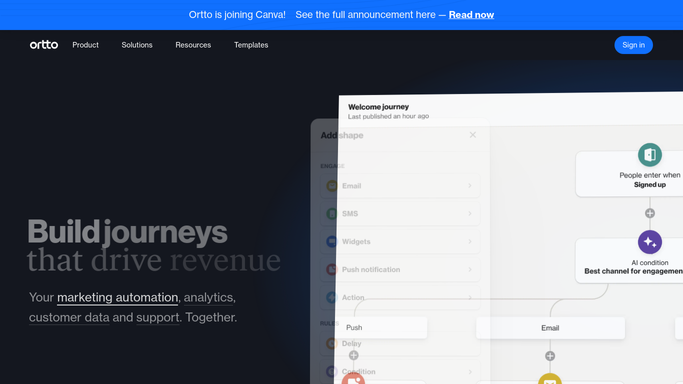
WebRun opens Ortto to read bounces and unsubscribes. - Open Ortto and pull the email campaign reports for the week that just closed
- Collect every hard bounce and every unsubscribe, with the person and the campaign behind it
- Note which audiences each contact still sits in. Read only: never remove or delete a contact
Done when Every bounce and unsubscribe from last week is captured with its campaign.
-
2
Airtable - log each contact and its campaign
airtable.com How to Automate Airtable

WebRun opens Airtable to log each contact and its campaign. - Append one row per affected contact to your list hygiene base in Airtable
- Record the email, the reason, the campaign, and the audiences it still belongs to
- Skip contacts already logged, so the base stays a clean running history
Done when Every affected contact is logged in Airtable without duplicates.
-
3
Google Drive - file the suppression list
drive.google.com How to Automate Google Drive

WebRun opens Google Drive to file the suppression list. - Write a dated suppression list into your marketing folder in Google Drive
- Split it into hard bounces and unsubscribes, since the two are handled differently
- Leave the list for a marketer to apply. WebRun never removes anyone from an Ortto audience itself
Done when This week's suppression list is filed in Google Drive, ready to apply.
How is each run configured?
Secure by default
Connect once, stays signed in
WebRun signs in once and keeps each session in a persistent environment, so every run picks up right where it left off.
Every action is checked against this policy before it runs.
Questions, answered
Will it delete contacts from my audiences?
No. WebRun only reads Ortto and produces a suppression list. Removing or suppressing a contact stays a human action, so a mistaken match never wipes a record.
Does it send anything to the contacts?
No. It never sends a campaign, an email, or a message to anyone on the list. The only outputs are an Airtable log and a file in your own Google Drive.
How does it tell a hard bounce from a soft one?
It uses the bounce classification in the Ortto campaign report and lists only hard bounces for suppression, so a temporary full inbox does not cost you a good contact.
Related templates
Put this on autopilot.
Turn it on in minutes - or have our team set it up for you.