Spot shrinking margins before they eat your profit
Every morning, WebRun opens Nextar, compares each product's cost and selling price, flags anything whose margin has slipped below your target, logs the product, old margin, and new margin to Google Sheets, and posts a Slack alert so pricing gets corrected before it eats into profit.
- No credit card
- Under $0.01 per run
- Cancel anytime
How do I get alerted when a Nextar product's margin drops?
Every morning, WebRun compares each Nextar product's cost and selling price against your target margin and flags anything that has slipped below it. It logs the product, old margin, and new margin to Google Sheets and posts a Slack alert sorted worst first, so a shrinking margin gets caught and fixed before it quietly eats into profit.
- Shrinking margins get caught the day they happen, not at month end
- Every flagged product keeps a running margin history
- Supplier cost increases surface immediately instead of silently
Built for small retail shops · Nextar POS users · shop owners · retail buyers
What does WebRun do on every run?
The exact actions WebRun takes, in order - in plain language, so you can adjust anything.
-
WebRun signs in and gets to work
Opens
app.nextar.comin a real browser with your saved login - no setup, no API keys. -
1
Nextar - compare cost and price by product
nextar.com How to Automate Nextar
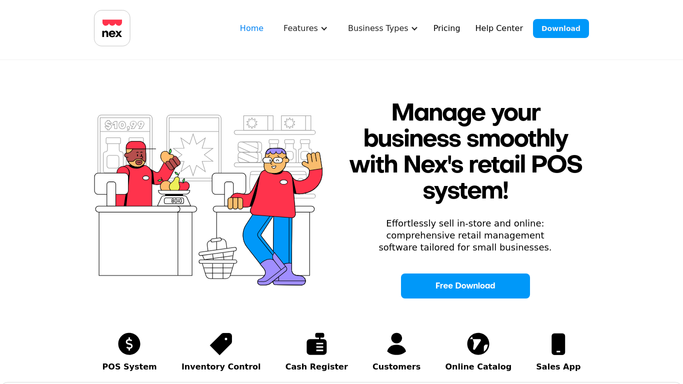
WebRun opens Nextar to compare cost and price by product. - Open Nextar and pull current cost and selling price for every product
- Calculate the margin for each and compare it to your target
- Capture any product whose margin fell below target since the last check
Done when Every product below its target margin is identified with its old and new margin.
-
2
Google Sheets - log the margin change
google.com How to Automate Google Sheets

WebRun opens Google Sheets to log the margin change. - Open the margin tracking sheet
- Add each flagged product with its cost, price, and margin change
- Keep a running history so repeat issues are visible
Done when Today's margin changes are logged with a full history per product.
-
3
Slack - flag it to you
slack.com How to Automate Slack

WebRun opens Slack to flag it to you. - Post an alert for every product below target margin
- Sort the list with the worst margin first
Done when You have today's margin alert in Slack, worst first.
How is each run configured?
Secure by default
Connect once, stays signed in
WebRun signs in once and keeps each session in a persistent environment, so every run picks up right where it left off.
Every action is checked against this policy before it runs.
Questions, answered
Does it change any prices for me?
No. It only flags where the margin slipped below your target. You decide whether to raise the price, switch supplier, or accept it.
What counts as my target margin?
Whatever percentage you set, either store wide or per category, and Nextar's own cost and price fields are what it checks against.
Will a one time cost spike set it off?
Yes, on purpose. It flags every drop below target the day it happens, so you catch a supplier cost increase immediately instead of at month end.
Related templates
Put this on autopilot.
Turn it on in minutes - or have our team set it up for you.