Know how yesterday's campaigns really did
Every morning, WebRun signs in to Klaviyo, reads yesterday's campaign results and flow performance including open rate, click rate, placed orders, bounces and unsubscribes, checks the Twilio message log for texts that failed to deliver, and sends you one Telegram digest that leads with whatever broke rather than the vanity numbers.
- No credit card
- Under $0.01 per run
- Cancel anytime
How do I get a daily report on my Klaviyo campaign performance?
WebRun signs in to Klaviyo every morning, reads yesterday's campaign and flow results including opens, clicks, orders, bounces and unsubscribes, then checks the Twilio message log for failed texts. It sends one Telegram digest that leads with threshold breaches so deliverability problems surface before the day starts.
- Deliverability problems surface the next morning, not at month end
- A live flow that stopped sending is caught within a day
- Campaign results and text delivery sit in one message you can read on a phone
Built for ecommerce marketers · email marketing managers · DTC brands · retention teams · agencies
What does WebRun do on every run?
The exact actions WebRun takes, in order - in plain language, so you can adjust anything.
-
WebRun signs in and gets to work
Opens
www.klaviyo.com/loginin a real browser with your saved login - no setup, no API keys. -
1
Klaviyo - read yesterday's campaigns and flows
klaviyo.com How to Automate Klaviyo
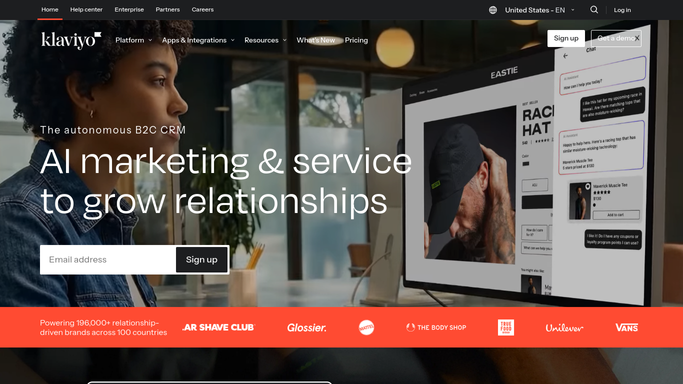
WebRun opens Klaviyo to read yesterday's campaigns and flows. - Sign in to Klaviyo and open the Campaigns list filtered to sent yesterday
- Capture recipients, open rate, click rate, placed orders, and revenue for each campaign
- Open Flows and capture yesterday's performance for each live flow, including any flow that sent nothing at all
- Read the bounce, spam complaint, and unsubscribe rates and compare them with your usual levels
- Mark any campaign or flow whose numbers fell outside your thresholds, and any live flow with zero sends
Done when Yesterday's campaign and flow results are captured with every threshold breach marked.
-
2
Twilio - check for texts that failed to deliver
twilio.com How to Automate Twilio

WebRun opens Twilio to check for texts that failed to deliver. - Open the Twilio console and go to the messaging logs for yesterday
- Count messages by status and pull out anything marked undelivered or failed
- Capture the error codes and group them so a carrier block reads differently from a bad number
- Note the delivery rate for the sending number and compare it with the previous week
- Read only. WebRun never resends a failed message or sends a new one
Done when Yesterday's message delivery rate and every failure reason are captured.
-
3
Telegram - send the morning digest
telegram.org How to Automate Telegram

WebRun opens Telegram to send the morning digest. - Send one digest to your marketing channel that opens with the problems, not the totals
- List threshold breaches first: high bounce rate, rising spam complaints, a flow that sent nothing, or a fall in text delivery
- Follow with yesterday's headline numbers per campaign, best performer first
- Close with the failure reasons from Twilio grouped by error so the fix is obvious
- Keep it short enough to read on a phone before the first meeting
Done when The morning digest is delivered on Telegram with problems at the top.
How is each run configured?
Secure by default
Connect once, stays signed in
WebRun signs in once and keeps each session in a persistent environment, so every run picks up right where it left off.
Every action is checked against this policy before it runs.
Questions, answered
Will it send a campaign or turn a flow on or off?
No. WebRun only reads Klaviyo. It never schedules or sends a campaign, never edits a flow, never changes a segment, and never resends a failed text in Twilio. The digest is a report, and every change stays with your team.
What arrives first in the digest?
The problems. Threshold breaches lead the message: high bounce rate, rising spam complaints, a live flow that sent nothing, or a drop in text delivery. Campaign results follow underneath.
Does it contact any of my subscribers?
No. The only message WebRun sends is the internal Telegram digest to your own marketing channel. No subscriber receives an email or a text as a result of this run.
Related templates
Put this on autopilot.
Turn it on in minutes - or have our team set it up for you.