Track which quotes turn into jobs
Every Monday, WebRun opens JobBOSS, pulls every quote issued in the past 90 days with its current status, calculates the win rate and average days to close, logs the numbers to a Google Sheet, and drafts a polite follow-up email for any quote that has sat open past your threshold for you to review.
- No credit card
- Under $0.01 per run
- Cancel anytime
How do I track quote-to-job conversion in JobBOSS?
Every Monday, WebRun opens JobBOSS, pulls every quote from the past 90 days, and calculates your quote-to-job conversion rate and average days to close. It logs the numbers to a Google Sheet and drafts a follow-up email in Gmail for any quote sitting open past your threshold, ready for you to send.
- Quote to job win rate is visible every Monday without manual tallying
- Stalled quotes get a drafted nudge before they go cold
- Every follow up stays a draft until you approve and send it
Built for job shops · machine shops · custom fabricators · shop owners
What does WebRun do on every run?
The exact actions WebRun takes, in order - in plain language, so you can adjust anything.
-
WebRun signs in and gets to work
Opens
www.jobboss.comin a real browser with your saved login - no setup, no API keys. -
1
JobBOSS - pull quote status and win rate
jobboss.com How to Automate JobBOSS
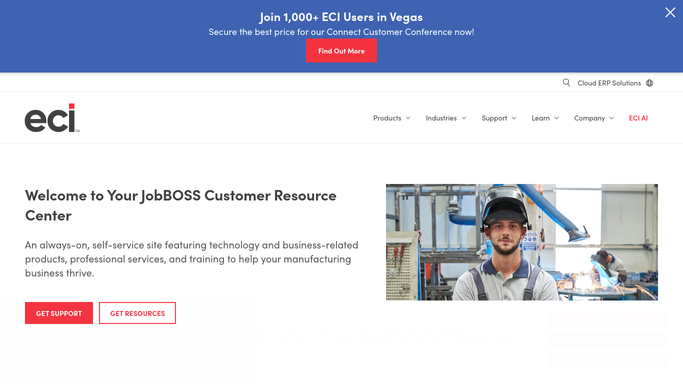
WebRun opens JobBOSS to pull quote status and win rate. - Open JobBOSS and list every quote issued in the past 90 days
- Read each quote's status, open, won, or lost, along with its age in days
- Calculate the overall quote-to-job conversion rate and average days to close
Done when Every quote from the past 90 days has a status, age, and conversion outcome recorded.
-
2
Google Sheets - log the conversion numbers
google.com How to Automate Google Sheets

WebRun opens Google Sheets to log the conversion numbers. - Open the Quote Conversion sheet
- Write a row per quote with customer, amount, status, and days open
- Update the rolling conversion rate and average close time at the top of the sheet
Done when The sheet shows this week's conversion rate and every quote's current status.
-
3
Gmail - draft a follow-up for stalled quotes
gmail.com How to Automate Gmail

WebRun opens Gmail to draft a follow-up for stalled quotes. - Find open quotes older than your set threshold, for example 14 days
- Draft a polite check-in email to the customer asking if they need anything else to move forward
- Leave every draft unsent in your outbox for you to review and send
Done when A draft follow-up sits ready for review for every quote stalling past your threshold.
How is each run configured?
Secure by default
Connect once, stays signed in
WebRun signs in once and keeps each session in a persistent environment, so every run picks up right where it left off.
Every action is checked against this policy before it runs.
Questions, answered
Will it email customers without me?
No. WebRun only drafts the follow-up email and leaves it unsent in your Gmail outbox. You read it, edit it if you like, and hit send yourself.
How is the conversion rate calculated?
It divides quotes that became jobs by total quotes issued in the period, both read live from JobBOSS, so the rate updates automatically as quotes change status.
What counts as a stalled quote?
Any open quote older than the day threshold you set, for example 14 days with no status change. You control the cutoff.
Related templates
Put this on autopilot.
Turn it on in minutes - or have our team set it up for you.