Keep incident report follow-ups on track after every GER
Every morning, WebRun opens Therap, finds General Event Reports with open or overdue follow-up steps, logs each to a Google Sheets investigation tracker, and posts a status summary to the program director in Slack so no incident investigation falls behind.
- No credit card
- Under $0.01 per run
- Cancel anytime
How do I automatically track overdue incident report follow-ups in Therap?
WebRun opens Therap every morning, finds General Event Reports with open or overdue follow-up steps, logs each to a Google Sheets investigation tracker with days-overdue data, and posts a daily summary to the program director in Slack so every incident investigation stays on schedule and accountable.
- No incident investigation falls behind schedule undetected
- Program directors see a daily overdue summary in Slack every morning
- Accountability visible by investigator name in every report
Built for IDD program directors · quality assurance coordinators · group home supervisors · compliance managers
What does WebRun do on every run?
The exact actions WebRun takes, in order - in plain language, so you can adjust anything.
-
WebRun signs in and gets to work
Opens
www.therapservices.netin a real browser with your saved login - no setup, no API keys. -
1
Therap - find GERs with open follow-up steps
therapservices.net How to Automate Therap
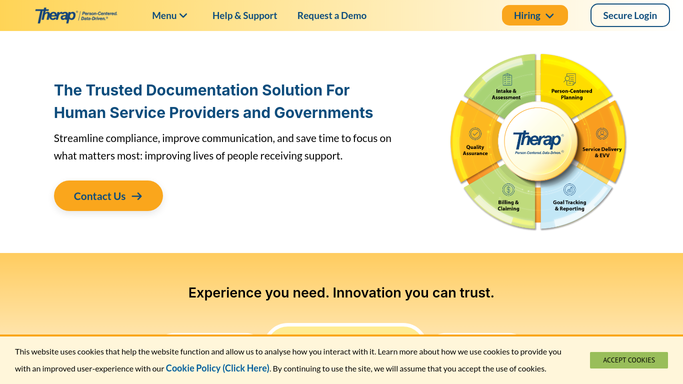
WebRun opens Therap to find GERs with open follow-up steps. - Open Therap and navigate to the General Event Report section
- Filter for GERs with a status of Open or In Progress and a follow-up due date that has passed or falls within the next 3 days
- Capture the GER reference, event type, individual identifier, assigned investigator, and follow-up due date for each
Done when All GERs with open or overdue follow-up steps are listed with their details and due dates.
-
2
Google Sheets - log open items to investigation tracker
google.com How to Automate Google Sheets

WebRun opens Google Sheets to log open items to investigation tracker. - Open the GER Investigation Tracker sheet
- Add or update one row per open GER with current status, assigned investigator, and days overdue
- Sort rows with the most overdue at the top
Done when The investigation tracker reflects the current open-item status for all active GERs.
-
3
Slack - alert program director with overdue flags
slack.com How to Automate Slack

WebRun opens Slack to alert program director with overdue flags. - Post a daily summary to the program director channel listing count of open GERs by event type
- Call out any GER whose follow-up step is more than 3 days overdue as a priority item
- Include the assigned investigator name so accountability is visible
Done when Program director sees a daily GER status summary in Slack with overdue flags.
How is each run configured?
Secure by default
Connect once, stays signed in
WebRun signs in once and keeps each session in a persistent environment, so every run picks up right where it left off.
Every action is checked against this policy before it runs.
Questions, answered
Will it update the GER in Therap or close any investigation steps automatically?
No. WebRun only reads GER status and logs open items for your team to action. All updates to incident reports in Therap are made by authorized staff following your agency's investigation protocols.
Does it include protected information about the individuals involved in the Slack post?
No. The Slack summary uses only the GER reference number and event type category, not individual names or identifiable details. Full information is in the secure Google Sheets tracker, accessible only to authorized staff.
What event types does it track?
It tracks all GER types active in Therap, including abuse and neglect reports, injuries, medication errors, and behavioral incidents. The Slack summary groups them by event type so leadership can spot patterns.
Related templates
Put this on autopilot.
Turn it on in minutes - or have our team set it up for you.