Get your Gumroad sales digest without checking the dashboard
Every morning, WebRun opens your Gumroad dashboard, logs yesterday's sales by product with quantity and revenue to a running Google Sheets tracker, and checks Gmail for the latest payout confirmation so you always know what sold, what your best sellers are, and what's actually landed in your account.
- No credit card
- Under $0.01 per run
- Cancel anytime
How do I get a daily Gumroad sales digest without checking the dashboard?
WebRun opens your Gumroad dashboard every morning, logs yesterday's sales by product to a running Google Sheets tracker, and checks Gmail for the latest payout confirmation. You always know what sold, which product is your best seller, and whether the expected payout has actually landed, without opening the dashboard yourself.
- Sales are logged every morning without opening the dashboard
- Best sellers are recalculated automatically instead of eyeballed
- Payout status is confirmed instead of assumed
Built for independent creators · course creators · ebook authors · digital product sellers
What does WebRun do on every run?
The exact actions WebRun takes, in order - in plain language, so you can adjust anything.
-
WebRun signs in and gets to work
Opens
app.gumroad.comin a real browser with your saved login - no setup, no API keys. -
1
Gumroad - pull yesterday's sales by product
gumroad.com
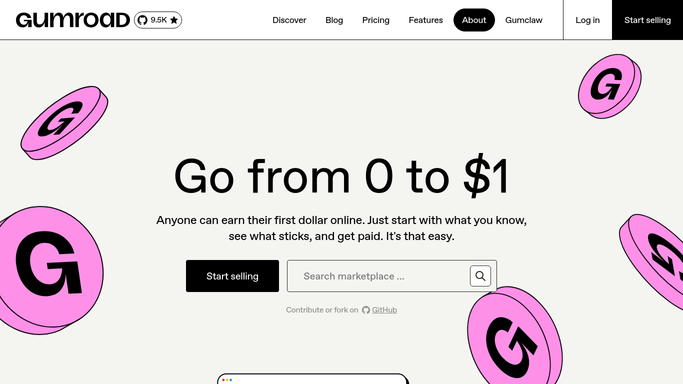
WebRun opens Gumroad to pull yesterday's sales by product. - Open your Gumroad dashboard and pull yesterday's sales by product
- Note the quantity sold and revenue for each product
- Compare against the prior day's total
Done when Yesterday's sales by product are captured.
-
2
Google Sheets - log the daily sales
google.com How to Automate Google Sheets

WebRun opens Google Sheets to log the daily sales. - Append a row per product with yesterday's quantity and revenue
- Keep a running total at the top of the sheet
- Recalculate which product is the current best seller
Done when Yesterday's sales are logged in the tracker.
-
3
Gmail - confirm the latest payout
gmail.com How to Automate Gmail

WebRun opens Gmail to confirm the latest payout. - Search Gmail for the latest Gumroad payout confirmation
- Note the payout amount and date
- Flag if the expected payout hasn't arrived yet
Done when The latest payout status has been found and noted.
How is each run configured?
Secure by default
Connect once, stays signed in
WebRun signs in once and keeps each session in a persistent environment, so every run picks up right where it left off.
Every action is checked against this policy before it runs.
Questions, answered
Will it change my product prices or listings?
No. WebRun only reads and logs your sales data. Changing a product's price or details is still done by you on Gumroad.
How do I see which product is selling best?
The Google Sheets tracker recalculates the best seller each morning based on the running totals, so you don't have to add it up yourself.
What if the payout hasn't landed yet?
It's flagged as still pending rather than assumed paid, so you know to check again rather than being told an amount that hasn't actually arrived.
Related templates
Put this on autopilot.
Turn it on in minutes - or have our team set it up for you.