Draft a mid-stay check that guests are settled
Every morning, WebRun opens GlampManager, finds guests who are midway through a stay of three nights or more, drafts a warm mid-stay text through Twilio asking if they are comfortable and need anything, posts your team an internal Slack heads-up, and leaves every message queued for your approval.
- No credit card
- Under $0.01 per run
- Cancel anytime
How do I send glamping guests a mid-stay wellbeing check automatically?
Every morning, WebRun opens GlampManager, finds guests past the midpoint of a stay of three nights or more, and drafts a warm mid-stay text through Twilio asking if they are settled and need anything. It posts your team an internal Slack heads-up too. Every text stays queued for your approval, so guests are only messaged once you say so.
- Longer stay guests feel looked after with a genuine mid-stay check
- Small issues surface mid-stay while you can still fix them, not in a review
- The team knows each morning who is being checked on and why
Built for glamping site owners · glampsite managers · campsite operators · holiday park hosts
What does WebRun do on every run?
The exact actions WebRun takes, in order - in plain language, so you can adjust anything.
-
WebRun signs in and gets to work
Opens
www.glampmanager.comin a real browser with your saved login - no setup, no API keys. -
1
GlampManager - find guests mid-stay
glampmanager.com How to Automate GlampManager
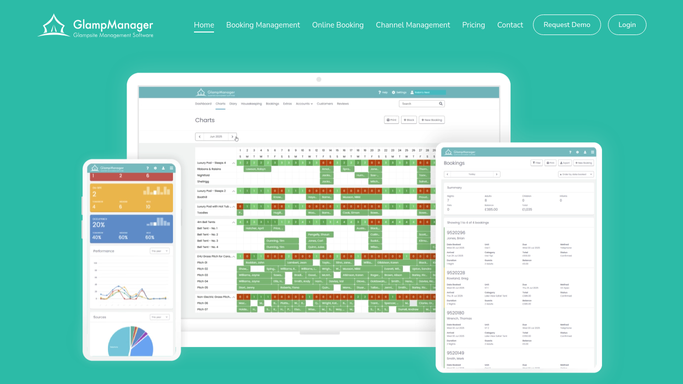
WebRun opens GlampManager to find guests mid-stay. - Open GlampManager and filter to bookings currently in progress
- Keep only stays of three nights or more that are past their midpoint
- Capture guest name, mobile number, pod, and departure date
- Skip any guest already sent a mid-stay message
Done when Every guest currently midway through a longer stay is listed.
-
2
Twilio - draft a wellbeing text
twilio.com How to Automate Twilio

WebRun drafts the mid-stay wellbeing text in Twilio. - Draft a warm, low-pressure text asking if the guest is settled and comfortable
- Invite them to reply if they need firewood, fresh towels, or anything at all
- Keep it short and genuine, not a sales pitch
- Queue each message in Twilio and leave it unsent for your review
Done when A mid-stay wellbeing text is drafted and queued for every qualifying guest.
-
3
Slack - post a team heads-up
slack.com How to Automate Slack

WebRun posts the mid-stay heads-up to Slack. - Post an internal heads-up to your hosting Slack channel
- List which guests are being checked on and their pods
- Flag anyone whose booking notes mention a special occasion or an accessibility need
- Remind the team to watch for replies once messages go out
Done when The team has a Slack list of who is being checked on today.
How is each run configured?
Secure by default
Connect once, stays signed in
WebRun signs in once and keeps each session in a persistent environment, so every run picks up right where it left off.
Every action is checked against this policy before it runs.
Questions, answered
Will it text guests mid-stay without my approval?
No. WebRun drafts and queues each mid-stay text in Twilio but leaves it unsent. You read the batch and send, so no guest is messaged during their stay without you approving it first.
Which guests get a mid-stay check?
Only guests on a stay of three nights or more who are past the midpoint of their booking, so short weekend visitors are left undisturbed. You can change the length threshold in your run settings.
Does the Slack heads-up contain guest contact details?
The internal Slack post keeps it light: guest first name, pod, and any noted special occasion. Full contact details stay in GlampManager and Twilio, not in the team channel.
Related templates
Put this on autopilot.
Turn it on in minutes - or have our team set it up for you.