Draft check-in texts the day before arrival
Every afternoon, WebRun opens GlampManager, lists the guests arriving the next day, drafts a short check-in text through Twilio with the gate code, arrival window, and site address, logs each one to a Google Sheet, and leaves every message queued for you to review before it goes out.
- No credit card
- Under $0.01 per run
- Cancel anytime
How do I send glamping check-in texts the day before arrival automatically?
Every afternoon, WebRun opens GlampManager, finds the guests arriving the next day, and drafts a short check-in text through Twilio with your gate code, arrival window, and address, logging each to a Google Sheet. Every message stays queued for your approval, so tomorrow's arrivals get clear instructions without you writing each one by hand.
- Every arriving guest gets clear instructions the day before, not on the road
- Arrival day calls to the office drop because gate codes go out in advance
- The front desk opens a time ordered arrivals list each morning
Built for glamping site owners · glampsite managers · campsite operators · holiday park hosts
What does WebRun do on every run?
The exact actions WebRun takes, in order - in plain language, so you can adjust anything.
-
WebRun signs in and gets to work
Opens
www.glampmanager.comin a real browser with your saved login - no setup, no API keys. -
1
GlampManager - find tomorrow's arrivals
glampmanager.com How to Automate GlampManager
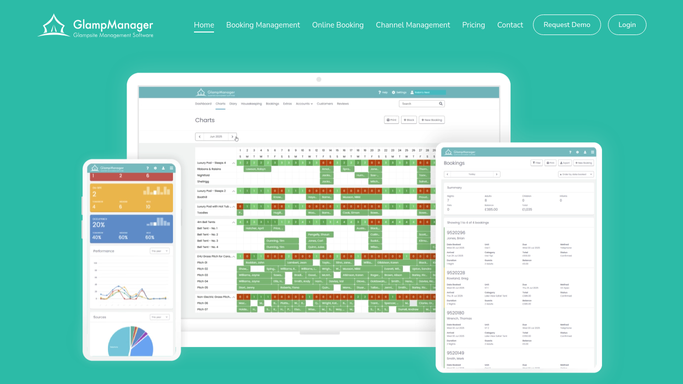
WebRun opens GlampManager to find tomorrow's arrivals. - Open GlampManager and filter bookings to arrivals for tomorrow
- Capture each guest name, mobile number, pod, and arrival window
- Skip any booking already sent check-in details
- Note guests with a balance still outstanding so their text can nudge it
Done when Every guest arriving tomorrow is listed with their number and unit.
-
2
Twilio - draft check-in texts
twilio.com How to Automate Twilio

WebRun drafts the check-in texts in Twilio. - Draft a short, friendly check-in text for each arriving guest
- Include the gate code, arrival window, site address, and a contact number
- Keep the tone warm and on brand for your site
- Queue each message in Twilio and leave it unsent for your review
Done when A check-in text is drafted and queued for every arriving guest, none sent.
-
3
Google Sheets - log the arrivals schedule
google.com How to Automate Google Sheets

WebRun logs the arrivals schedule to Google Sheets. - Open the Arrivals Schedule sheet
- Add a row per arriving guest with pod, arrival window, and message status
- Sort by arrival time so the front desk sees the order of the day
Done when The sheet shows tomorrow's full arrivals list in time order.
How is each run configured?
Secure by default
Connect once, stays signed in
WebRun signs in once and keeps each session in a persistent environment, so every run picks up right where it left off.
Every action is checked against this policy before it runs.
Questions, answered
Will it text guests without my approval?
No. WebRun drafts and queues each check-in text in Twilio but leaves it unsent. You glance over the batch and send, so no message reaches a guest until you approve it.
How does it know who is arriving tomorrow?
It reads your live GlampManager bookings each afternoon and filters to arrivals dated for the next day, so cancellations and date changes are always reflected before texts are drafted.
Can the text mention an unpaid balance?
Yes. WebRun checks each booking's payment status in GlampManager and, for guests with a balance owing, adds a polite line to their draft text so it can be settled before they arrive.
Related templates
Put this on autopilot.
Turn it on in minutes - or have our team set it up for you.