Catch open Sling shifts before they go uncovered
Every morning, WebRun opens Sling, checks the schedule for the next 7 days for shifts with no one assigned, creates a Trello task to get each one covered, and posts an alert to Microsoft Teams for the scheduling manager.
- No credit card
- Under $0.01 per run
- Cancel anytime
How do I catch open shifts in Sling before they go uncovered?
WebRun checks Sling every morning for shifts in the next 7 days with no one assigned. It creates a Trello task for each one and posts an alert to your scheduling manager in Microsoft Teams, flagging anything within 48 hours, so an open shift gets covered well before it becomes a staffing gap.
- Open shifts get flagged 7 days out, not the morning of
- Scheduling managers see every gap in one Teams alert
- Filled shifts clear off the tracker automatically
Built for Scheduling managers · shift-based businesses · retail and hospitality operators · operations managers
What does WebRun do on every run?
The exact actions WebRun takes, in order - in plain language, so you can adjust anything.
-
WebRun signs in and gets to work
Opens
getsling.comin a real browser with your saved login - no setup, no API keys. -
1
Sling - find unassigned shifts
getsling.com
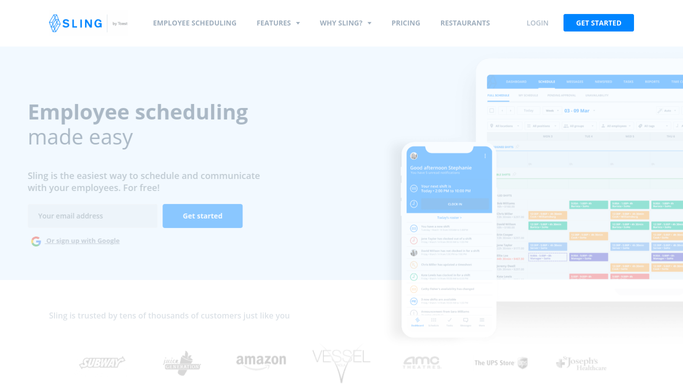
WebRun opens Sling to find unassigned shifts. - Open Sling and check the schedule for the next 7 days
- List shifts with no one assigned
- Note the location, role, and shift time for each
Done when Every unassigned shift in the next 7 days is captured.
-
2
Trello - create the coverage task
trello.com How to Automate Trello

WebRun opens Trello to create the coverage task. - Create a coverage task for each open shift
- Add the location, role, and shift time
- Move the card once the shift is filled in Sling
Done when Every open shift has a Trello coverage task.
-
3
Microsoft Teams - alert the scheduling manager
microsoft.com How to Automate Microsoft Teams

WebRun opens Microsoft Teams to alert the scheduling manager. - Post an alert to the scheduling channel
- List open shifts soonest first
- Flag anything within 48 hours
Done when The scheduling manager has today's open-shift alert in Teams.
How is each run configured?
Secure by default
Connect once, stays signed in
WebRun signs in once and keeps each session in a persistent environment, so every run picks up right where it left off.
Every action is checked against this policy before it runs.
Questions, answered
Does it assign someone to the open shift?
No. WebRun only flags the gap and creates a task. Assigning or offering the shift to staff stays a decision the manager makes in Sling.
Does it message staff about the open shift?
No, the alert goes to your scheduling manager only. Any message to staff about picking up a shift is still sent by your team.
What happens once a shift is filled?
It reads the live schedule in Sling each morning, so a filled shift's Trello card moves and it drops off the alert.
Related templates
Put this on autopilot.
Turn it on in minutes - or have our team set it up for you.