Brief your delivery crews on every white-glove job the night before
Every evening, WebRun opens STORIS, finds all white-glove deliveries scheduled for the following day, compiles a crew briefing for each stop including customer name, address, items, access notes, and assembly requirements, logs the full manifest to a Google Sheet, and posts a structured digest to the delivery team's Slack channel.
- No credit card
- Under $0.01 per run
- Cancel anytime
How do I automatically brief delivery crews on tomorrow's white-glove furniture deliveries?
Each evening, WebRun opens STORIS, finds every white-glove furniture delivery scheduled for the following day, and logs a full manifest to Google Sheets. It then posts a structured crew briefing to the delivery team's Slack channel listing each stop in order with the address, time window, items, and any access or assembly notes so every crew arrives prepared.
- Delivery crews receive a full briefing every evening before their next-day white-glove jobs
- Access notes, assembly requirements, and time windows are captured in one place
- A logged Google Sheet manifest gives crews an on-the-road reference for each stop
Built for furniture delivery managers · furniture store operations teams · delivery crew supervisors · furniture store owners
What does WebRun do on every run?
The exact actions WebRun takes, in order - in plain language, so you can adjust anything.
-
WebRun signs in and gets to work
Opens
www.storis.comin a real browser with your saved login - no setup, no API keys. -
1
STORIS - pull tomorrow's white-glove delivery jobs
storis.com How to Automate STORIS
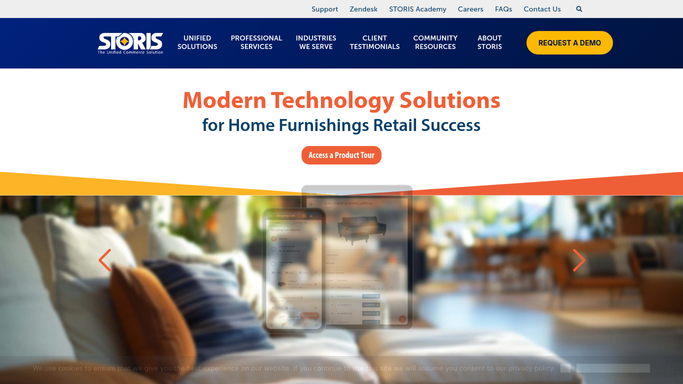
WebRun opens STORIS to pull tomorrow's white-glove delivery jobs. - Open STORIS and navigate to the Delivery Schedule module
- Filter to orders scheduled for tomorrow with a white-glove or premium delivery service type
- Capture the customer name, delivery address, scheduled time window, items on the order, assembly requirements, access notes, floor protection needs, and any customer-specific instructions
Done when Every white-glove delivery scheduled for tomorrow is listed with its full job details and notes.
-
2
Google Sheets - log the full delivery manifest
google.com How to Automate Google Sheets

WebRun opens Google Sheets to log the full delivery manifest. - Open the delivery manifest Google Sheet or create a new dated tab for tomorrow
- Log each delivery job as a row with customer name, address, time window, items, assembly details, and access notes
- Sort by scheduled time window so the manifest reads in delivery order
Done when Tomorrow's white-glove delivery manifest is logged to the Google Sheet in time-of-day order.
-
3
Slack - post the crew briefing digest
slack.com How to Automate Slack

WebRun opens Slack to post the crew briefing digest. - Post a structured briefing digest to the delivery team Slack channel each evening
- List each delivery stop in order with the address, time window, items, and any flagged access or assembly notes
- Include a link to the full Google Sheet manifest for drivers to reference on the road
Done when The delivery team has tomorrow's full white-glove briefing in Slack before end of business tonight.
How is each run configured?
Secure by default
Connect once, stays signed in
WebRun signs in once and keeps each session in a persistent environment, so every run picks up right where it left off.
Every action is checked against this policy before it runs.
Questions, answered
Does it contact customers or only brief the delivery team?
It only posts to an internal delivery team Slack channel and logs to a private Google Sheet. No customer is contacted by this workflow. Customer confirmations are handled separately.
What counts as a white-glove delivery in STORIS?
WebRun filters by the service type label used in your STORIS setup. If your store uses a specific delivery tier name such as Premium, White Glove, or Full Service, configure that label during setup and WebRun will match it.
What if a delivery is added or changed after the evening run?
The briefing reflects the schedule in STORIS at the time of the evening run. For last-minute changes, a delivery manager should update the Slack post or the Google Sheet directly to keep crews informed.
Related templates
Put this on autopilot.
Turn it on in minutes - or have our team set it up for you.