Flag assets that keep breaking before they drain your budget
Every Monday, WebRun opens UpKeep, finds assets with 3 or more corrective work orders in the last 90 days, checks the labor and parts cost logged against each in QuickBooks, and posts a Slack report ranking the worst repeat offenders by year-to-date repair cost so your team can decide on repair versus replace.
- No credit card
- Under $0.01 per run
- Cancel anytime
How do I spot assets that keep failing before they drain the budget?
WebRun scans UpKeep every Monday for assets with 3 or more corrective work orders in the last 90 days, then totals each one's year-to-date labor and parts cost in QuickBooks. It posts a Slack report ranking the worst repeat offenders and flagging where repair cost is approaching replacement cost, so a manager can make the repair-versus-replace call with real numbers.
- Assets with 3 or more repeat repairs in 90 days get flagged automatically
- A dollar figure backs every repair-versus-replace conversation with real cost data
- Repeat corrective work gets caught within 90 days, not discovered at year-end
Built for facilities managers · maintenance directors · reliability engineers · capital planning teams
What does WebRun do on every run?
The exact actions WebRun takes, in order - in plain language, so you can adjust anything.
-
WebRun signs in and gets to work
Opens
app.onupkeep.comin a real browser with your saved login - no setup, no API keys. -
1
UpKeep - find assets with repeat corrective repairs
upkeep.com How to Automate UpKeep
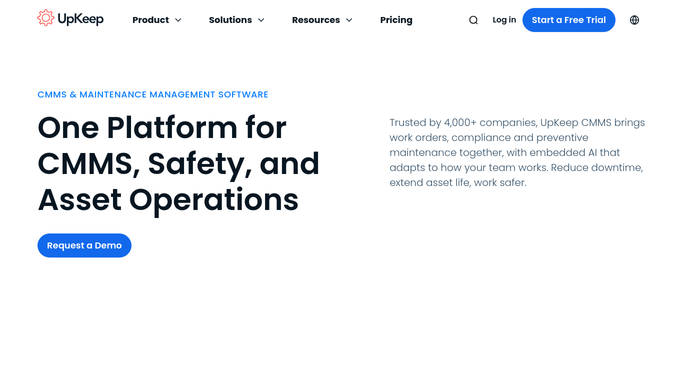
WebRun opens UpKeep to find assets with repeat corrective repairs. - Open UpKeep and pull corrective, non-PM work orders from the last 90 days
- Group them by asset and count work orders per asset
- Flag any asset with 3 or more corrective work orders in that window
Done when Every asset with 3 or more corrective repairs in 90 days is identified.
-
2
QuickBooks - total the repair cost per asset
- Look up the labor and parts cost logged against each flagged asset this year
- Sum the year-to-date repair cost per asset
- Compare that total against the asset's original purchase or replacement cost if it is on record
Done when Every flagged asset has a year-to-date repair cost total.
-
3
Slack - report the worst repeat offenders
slack.com How to Automate Slack

WebRun posts the repeat-failure ranking to Slack. - Post a Slack report ranking flagged assets by repair count and year-to-date cost
- Note where repair cost is approaching or has passed the replacement cost
- Leave the repair-versus-replace decision for the facilities manager
Done when The facilities manager has this week's repeat-failure ranking and cost comparison in Slack.
How is each run configured?
Secure by default
Connect once, stays signed in
WebRun signs in once and keeps each session in a persistent environment, so every run picks up right where it left off.
Every action is checked against this policy before it runs.
Questions, answered
Does WebRun decide whether to replace an asset?
No. It only ranks repeat offenders and compares repair cost to replacement cost. Deciding to repair, replace, or retire an asset stays with your facilities manager.
What counts as a repeat failure?
Any asset with 3 or more corrective, non-preventive work orders in the last 90 days. Ask WebRun to use a different count or window and it will.
Where does the repair cost come from?
It sums the labor and parts cost logged against each work order in QuickBooks. If a work order has no cost logged, that repair is counted toward the failure total but not the dollar total.
Related templates
Put this on autopilot.
Turn it on in minutes - or have our team set it up for you.