Alert your team the moment an environmental incident or exceedance is logged
Every few minutes, WebRun checks Locus Technologies for any newly logged incident, spill, near-miss, or analyte exceedance, identifies the responsible project manager and emergency contact based on site and client, and sends an immediate Slack alert plus an SMS via Twilio so your response team can act within minutes.
- No credit card
- Under $0.01 per run
- Cancel anytime
How do I get an instant alert when an environmental incident or exceedance is logged?
WebRun polls Locus Technologies every 5 minutes for newly logged incidents, spills, and analyte exceedances. When one is found, it posts an immediate alert to the response team in Slack and sends an SMS via Twilio to the on-call responder for high-severity events. Regulatory filings are always made by a human consultant.
- Response teams are alerted within 5 minutes of any incident being logged in Locus Technologies
- High-severity events trigger SMS to the on-call responder, not just a Slack message
- No regulatory notification is ever filed without a human consultant reviewing and approving it
Built for environmental consulting response teams · EHS incident managers · remediation project managers · environmental health and safety on-call coordinators
What does WebRun do on every run?
The exact actions WebRun takes, in order - in plain language, so you can adjust anything.
-
WebRun signs in and gets to work
Opens
www.locustec.comin a real browser with your saved login - no setup, no API keys. -
1
Locus Technologies - detect new incidents and exceedances
locustec.com How to Automate Locus Technologies
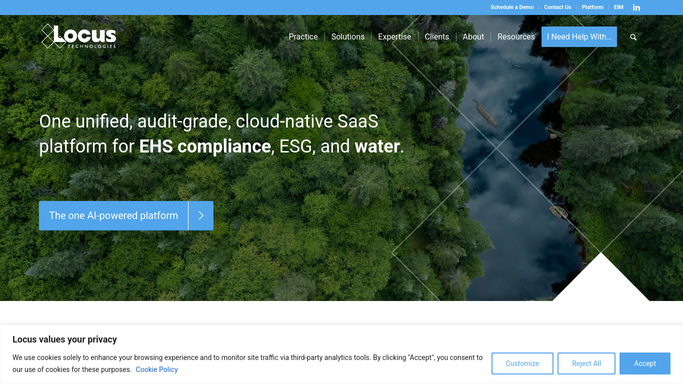
WebRun opens Locus Technologies to detect new incidents and exceedances. - Poll the Locus Technologies incident and compliance module for any records created or updated in the last 5 minutes
- Identify new incidents, spills, near-misses, or analyte results exceeding action levels
- Capture the incident type, site, severity, time of logging, and the responsible project manager
Done when Any new incident or exceedance is identified with its full details and severity classification.
-
2
Slack - alert the response team instantly
slack.com How to Automate Slack

WebRun opens Slack to alert the response team instantly. - Post an immediate alert to the incident-response Slack channel with the incident type, site, severity, and a link to the Locus record
- For high-severity incidents, @-mention the project manager and principal-in-charge
- Include a brief summary of required immediate actions based on the incident type
Done when The response team has an immediate Slack alert with full incident details.
-
3
Twilio - send SMS to on-call responder
twilio.com How to Automate Twilio

WebRun opens Twilio to send SMS to on-call responder. - Send an SMS via Twilio to the on-call responder for high-severity incidents and analyte exceedances
- Include the site name, incident type, and severity in the SMS
- Limit SMS to high-severity events only to avoid alert fatigue
Done when The on-call responder has received an SMS for any high-severity incident.
How is each run configured?
Secure by default
Connect once, stays signed in
WebRun signs in once and keeps each session in a persistent environment, so every run picks up right where it left off.
Every action is checked against this policy before it runs.
Questions, answered
Will it file regulatory incident notifications automatically?
No. WebRun alerts your response team immediately but never files or submits any regulatory notification. All required filings are made by the responsible consultant after assessing the incident.
What counts as a high-severity incident for the SMS alert?
You define the severity thresholds when you set up the workflow, for example any incident classified as Level 2 or above in Locus Technologies, or any analyte result exceeding a cleanup standard rather than just an action level.
What if the same incident is updated multiple times in Locus Technologies?
It tracks which records have already triggered an alert and only notifies on new records or significant status changes, not on every minor field update, so your team is not flooded with repeat alerts.
Related templates
Put this on autopilot.
Turn it on in minutes - or have our team set it up for you.