Stay ahead of every EHS compliance deadline for your clients
Every Monday, WebRun pulls the full compliance-obligation schedule from Locus Technologies across your client portfolio, identifies every EHS requirement due within 45 days, logs the details to a shared Google Sheet for record-keeping, and posts a ranked action list to the compliance-team Slack channel.
- No credit card
- Under $0.01 per run
- Cancel anytime
How do I automatically track EHS compliance deadlines across my client portfolio?
WebRun pulls the full EHS compliance-obligation schedule from Locus Technologies every Monday, flags every requirement due within 45 days across your client portfolio, logs the details to a shared Google Sheet, and posts a ranked action list to the compliance-team Slack channel. Nothing slips through without a human approving and filing it.
- Every EHS obligation across your client portfolio surfaces 45 days early every Monday
- Compliance obligations are logged to a shared Google Sheet for audit-ready record-keeping
- Urgent items due within 10 days are flagged and the responsible consultant is @-mentioned
Built for environmental consulting compliance teams · EHS compliance managers · multi-site environmental program managers · environmental health and safety directors
What does WebRun do on every run?
The exact actions WebRun takes, in order - in plain language, so you can adjust anything.
-
WebRun signs in and gets to work
Opens
www.locustec.comin a real browser with your saved login - no setup, no API keys. -
1
Locus Technologies - pull compliance-obligation schedule
locustec.com How to Automate Locus Technologies
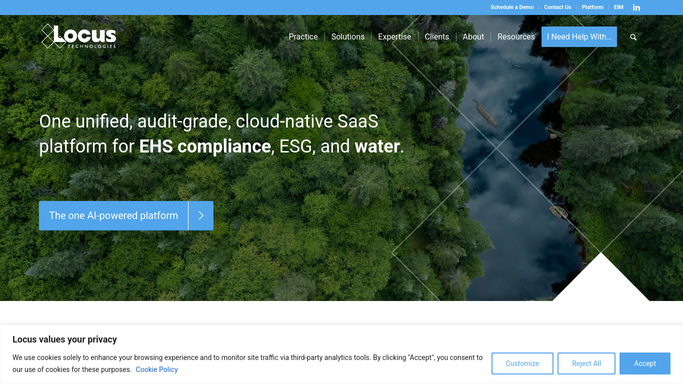
WebRun opens Locus Technologies to pull compliance-obligation schedule. - Open Locus Technologies and navigate to the EHS compliance management module
- Filter all active compliance obligations with due dates within 45 days across all client sites
- Capture the obligation type, client, site, regulation reference, due date, and responsible consultant
Done when Every EHS compliance obligation due in 45 days is listed with its full details.
-
2
Google Sheets - log upcoming obligations to shared tracker
google.com How to Automate Google Sheets

WebRun opens Google Sheets to log upcoming obligations to shared tracker. - Append this week's flagged obligations to the running compliance-tracker sheet
- Include columns for obligation type, client, site, due date, responsible consultant, and status
- Mark any obligation already completed in the previous run as resolved
Done when The compliance tracker sheet is updated with this week's obligations.
-
3
Slack - post ranked action list to compliance team
slack.com How to Automate Slack

WebRun opens Slack to post ranked action list to compliance team. - Post the ranked action list to the compliance-team Slack channel, soonest deadline first
- Flag anything due within 10 days as urgent and @-mention the responsible consultant
- Include a link to the live Google Sheet for full detail
Done when The compliance team has a ranked action list in Slack with a link to the full tracker.
How is each run configured?
Secure by default
Connect once, stays signed in
WebRun signs in once and keeps each session in a persistent environment, so every run picks up right where it left off.
Every action is checked against this policy before it runs.
Questions, answered
Will it file or submit compliance documentation to regulators automatically?
No. WebRun surfaces deadlines and logs obligations but never files or submits anything. All regulatory filings are made by the responsible consultant after their own preparation and review.
What types of EHS compliance obligations does it track?
Any obligation recorded in the Locus Technologies compliance management module, including inspection schedules, reporting deadlines, permit conditions, training requirements, and any other regulatory obligation your firm tracks for clients.
What if an obligation was fulfilled after the last run?
It reads the live obligation status in Locus Technologies each Monday, so any obligation recorded as complete is removed from the action list and marked resolved in the Google Sheet.
Related templates
Put this on autopilot.
Turn it on in minutes - or have our team set it up for you.