Reconcile employer member rosters in Hint Health each week
Every Monday, WebRun compares the employer-submitted roster against active memberships in Hint Health, identifies additions, terminations, and data mismatches, logs each discrepancy to Google Sheets, and posts a reconciliation summary to Slack so staff can resolve issues before the next billing cycle.
- No credit card
- Under $0.01 per run
- Cancel anytime
How do I automatically reconcile employer member rosters with Hint Health each week?
WebRun compares your employer-submitted roster in Google Sheets against live Hint Health memberships every Monday, flags every addition, termination, and data mismatch, and posts a reconciliation summary to Slack. Staff resolve discrepancies from the Sheets report before the next billing cycle, so employer invoices are always accurate.
- Roster discrepancies caught weekly before they reach the billing cycle
- Staff get a ranked discrepancy report every Monday without manual comparison
- Membership changes in Hint Health are always human-approved before being applied
Built for direct primary care practices · DPC employer group administrators · membership billing staff
What does WebRun do on every run?
The exact actions WebRun takes, in order - in plain language, so you can adjust anything.
-
WebRun signs in and gets to work
Opens
app.hint.comin a real browser with your saved login - no setup, no API keys. -
1
Hint Health - pull current active membership roster
hint.com How to Automate Hint Health
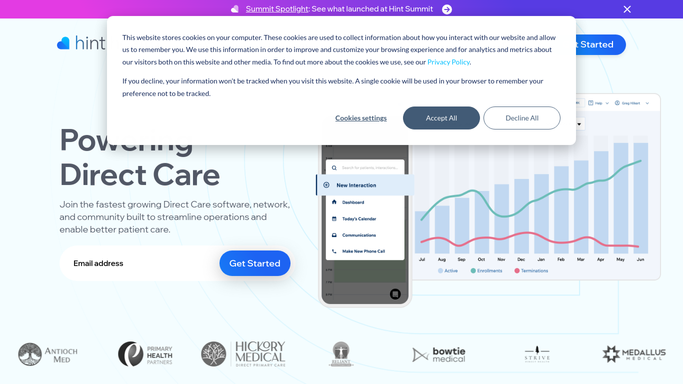
WebRun opens Hint Health to pull current active membership roster. - Open Hint Health and navigate to the employer group's membership list
- Export or read the current active roster for the employer group
- Note each member's name, plan, effective date, and status
Done when Current Hint Health active roster is captured for the employer group.
-
2
Google Sheets - compare roster and log discrepancies
google.com How to Automate Google Sheets

WebRun opens Google Sheets to compare roster and log discrepancies. - Open the employer roster reconciliation sheet where the latest employer-submitted roster is stored
- Compare the employer list against the Hint Health active roster row by row
- Log each discrepancy as a new row: type (add, terminate, mismatch), member name, and details
- Flag rows requiring billing correction before the next invoice cycle
Done when All discrepancies between employer roster and Hint Health are logged with type and detail.
-
3
Slack - post reconciliation summary to staff
slack.com How to Automate Slack

WebRun opens Slack to post reconciliation summary to staff. - Post a reconciliation summary to the billing channel: total matched, additions pending, terminations pending, mismatches
- Link to the Google Sheets discrepancy tab for staff to action
- Flag any discrepancies that affect this week's billing cycle
Done when Billing staff have the weekly reconciliation summary and sheet link in Slack.
How is each run configured?
Secure by default
Connect once, stays signed in
WebRun signs in once and keeps each session in a persistent environment, so every run picks up right where it left off.
Every action is checked against this policy before it runs.
Questions, answered
Will it automatically update memberships in Hint Health based on the roster?
No. WebRun only reads and compares data, then logs discrepancies for staff to action. All membership additions, terminations, and corrections in Hint Health are made by a human after reviewing the report.
Where does the employer's submitted roster come from?
The employer roster is stored in a designated Google Sheets tab that your HR or employer contact updates. WebRun reads that tab and compares it to the live Hint Health active roster on each Monday run.
What counts as a mismatch?
A mismatch is flagged when a member appears in both lists but has a different plan, effective date, or status, for example when an employer updated someone's plan tier but the change was not yet applied in Hint Health.
Related templates
Put this on autopilot.
Turn it on in minutes - or have our team set it up for you.