Flag at-risk DPC members before they cancel their membership
Every Monday, WebRun opens Hint Health, identifies active members with churn-risk signals including long gaps since last visit, upcoming renewals with no recent contact, and recent payment failures, logs the risk list to Google Sheets, and posts a prioritized alert to Slack so staff can reach out before a cancellation happens.
- No credit card
- Under $0.01 per run
- Cancel anytime
How do I automatically identify DPC members at risk of cancelling their membership?
WebRun reviews Hint Health every Monday for members showing churn signals: long gaps since last visit, upcoming renewals with no recent engagement, and recent payment failures. It logs each at-risk member to Google Sheets by priority and posts a ranked Slack alert so staff can intervene with a personal outreach before any cancellation happens.
- At-risk members identified and queued for staff outreach every Monday
- High-risk members with multiple signals surface at the top of every alert
- Member outreach is always human-reviewed before sending
Built for direct primary care practices · DPC care teams · membership retention staff
What does WebRun do on every run?
The exact actions WebRun takes, in order - in plain language, so you can adjust anything.
-
WebRun signs in and gets to work
Opens
app.hint.comin a real browser with your saved login - no setup, no API keys. -
1
Hint Health - identify members with churn-risk signals
hint.com How to Automate Hint Health
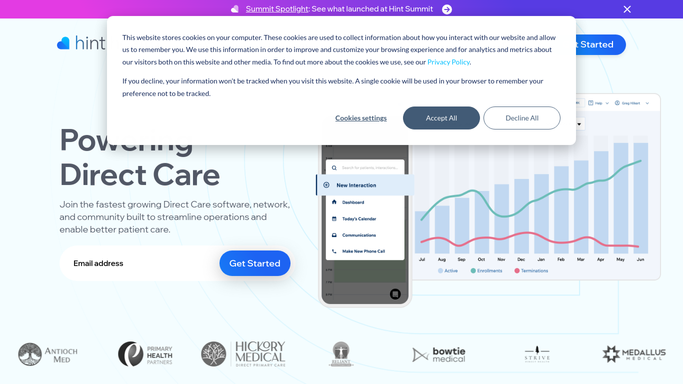
WebRun opens Hint Health to identify members with churn-risk signals. - Open Hint Health and review active memberships for churn signals
- Flag members with no visit in the past 6 months, a renewal due within 30 days and no recent interaction, or a recent failed payment
- Capture member name, plan, risk signal type, and last contact or visit date
Done when All at-risk members are identified with their primary churn signal.
-
2
Google Sheets - log risk list with signal details
google.com How to Automate Google Sheets

WebRun opens Google Sheets to log risk list with signal details. - Open the churn-risk tracker sheet
- Log each at-risk member with their name, risk signal, signal date, and risk priority level
- Mark members already being contacted as in-progress so they are not duplicated next week
Done when Churn-risk tracker updated with all at-risk members and priority levels.
-
3
Slack - post prioritized churn-risk alert to staff
slack.com How to Automate Slack

WebRun opens Slack to post prioritized churn-risk alert to staff. - Post a prioritized churn-risk alert to the care team channel
- List high-risk members first (multiple signals), followed by medium and low-risk
- Note that member outreach drafts are queued in Google Sheets for staff review before sending
Done when Care team has this week's prioritized churn-risk list in Slack.
How is each run configured?
Secure by default
Connect once, stays signed in
WebRun signs in once and keeps each session in a persistent environment, so every run picks up right where it left off.
Every action is checked against this policy before it runs.
Questions, answered
Will it automatically reach out to at-risk members?
No. All member outreach is drafted and queued in Google Sheets for staff to review and send. WebRun only identifies the risk and alerts your team, ensuring no PHI is shared externally without human approval.
What signals does it use to define churn risk?
It flags members with no visit in over 6 months, a renewal due in 30 days with no recent interaction, or a recent failed payment. You can adjust these thresholds in the workflow settings.
How does it avoid flagging the same member every week?
Staff update the outreach status in Google Sheets after contacting a member. WebRun reads that status on the next run and skips members already marked as in-progress or resolved.
Related templates
Put this on autopilot.
Turn it on in minutes - or have our team set it up for you.