Renew your listings before they expire off the site
Every morning, WebRun signs in to Craigslist, reads every active posting with its category, its status, and its expiration date, queues a renewal for anything expiring in the next two days, messages you the queue on WhatsApp to approve, and posts the full listing status to Microsoft Teams.
- No credit card
- Under $0.01 per run
- Cancel anytime
How do I renew my Craigslist listings before they expire?
WebRun signs in to Craigslist every morning and reads every active posting with its category, status, and expiration date. It queues a renewal for anything expiring within two days, asks for your yes on WhatsApp before anything is submitted, and posts the full listing status to Microsoft Teams.
- No listing drops off the site unnoticed
- Renewals wait for a yes, so unwanted listings simply lapse
- Flagged and removed postings are surfaced the next morning
Built for resellers · small dealers · landlords · service businesses · recruiters posting gigs
What does WebRun do on every run?
The exact actions WebRun takes, in order - in plain language, so you can adjust anything.
-
WebRun signs in and gets to work
Opens
craigslist.orgin a real browser with your saved login - no setup, no API keys. -
1
Craigslist - find postings close to expiry
craigslist.org
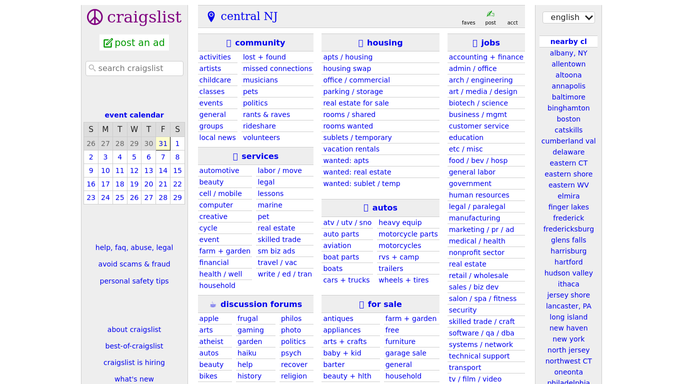
WebRun opens Craigslist to find postings close to expiry. - Sign in to your Craigslist account and list every active posting with its title, category, and city
- Record the posting status and the expiration date on each one, and count the days left
- Queue a renewal for any posting expiring within two days, and leave it unsubmitted for approval. WebRun never renews or reposts on its own
Done when Every posting has an expiry date, and renewals are queued but not submitted for the ones expiring soon.
-
2
WhatsApp - get your approval to renew
whatsapp.com How to Automate WhatsApp

WebRun opens WhatsApp to get your approval to renew. - Message you the queued renewals with the posting title, the category, and the days left before expiry
- Ask for a yes or no on each one, so a listing you no longer want simply lapses
- Note any posting flagged, removed, or already expired so you know what needs reposting by hand
Done when You have the renewal queue in WhatsApp with a decision to make on each posting.
-
3
Microsoft Teams - keep the listing status board
microsoft.com How to Automate Microsoft Teams

WebRun opens Microsoft Teams to keep the listing status board. - Post the full listing status to your team channel: active postings, days to expiry, and which are queued for renewal
- Group by category and city so a whole area going quiet is visible
- Track how many postings expired unrenewed over the past week
Done when The team channel has today's listing status and the renewal queue.
How is each run configured?
Secure by default
Connect once, stays signed in
WebRun signs in once and keeps each session in a persistent environment, so every run picks up right where it left off.
Every action is checked against this policy before it runs.
Questions, answered
Will it renew or repost a listing without me?
No. WebRun queues the renewal and waits for your yes on WhatsApp. Nothing is published, renewed, or reposted until you approve it, so a listing you no longer want simply lapses.
Does it write or edit the listing text?
No. It reads the posting title, category, and expiry date only. The listing body, price, and photos are never changed, so what goes live is what you wrote.
What about postings that were flagged or removed?
They are reported separately in the daily message rather than queued. Flagged and removed postings need your judgement, so WebRun never tries to repost one on its own.
Related templates
Put this on autopilot.
Turn it on in minutes - or have our team set it up for you.