Read the announcements that affect the shares you hold
Every morning, WebRun signs into CommSec, lists your holdings and watchlist, reads the company announcements published against each one since yesterday, posts a plain summary to Slack before the open, and opens a Trello card for any announcement that needs you to decide something.
- No credit card
- Under $0.01 per run
- Cancel anytime
How do I get a daily summary of announcements on my shareholdings?
Every morning before the open, WebRun signs into CommSec, lists your holdings and watchlist, and reads the company announcements published against each code since yesterday. It posts a plain Slack summary with no recommendation attached and opens a Trello card for anything carrying a deadline, so nothing arrives as a surprise.
- Announcements on your own holdings are read before the market opens
- Nothing is bought, sold or recommended: the digest only describes
- Announcements with a deadline get a dated card so they are not missed
Built for self-directed investors · SMSF trustees · portfolio owners · finance teams
What does WebRun do on every run?
The exact actions WebRun takes, in order - in plain language, so you can adjust anything.
-
WebRun signs in and gets to work
Opens
www.commsec.com.auin a real browser with your saved login - no setup, no API keys. -
1
CommSec - read announcements on your holdings
commsec.com.au
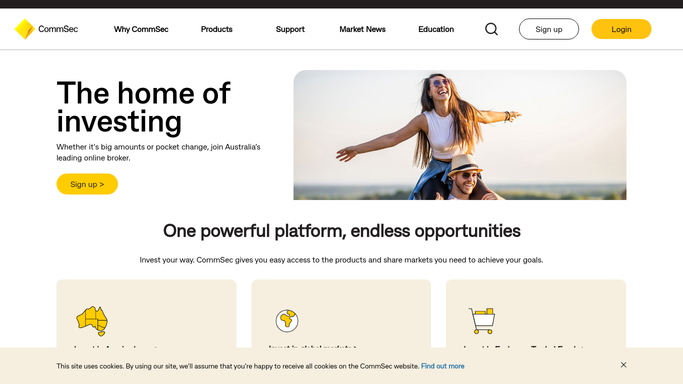
WebRun opens CommSec to read announcements on your holdings. - Sign in to CommSec and list the codes in your portfolio and watchlist
- Open the company announcements published against each code since the last run
- Read each announcement and note its type and the code it belongs to
- Write a plain summary of what the announcement says, with no view on what to do about it
- Separate holdings you own from watchlist codes so the summary is ordered by relevance
- Never place, amend or cancel an order: WebRun only reads
Done when Every announcement on a held or watched code is summarised.
-
2
Slack - post the plain summary
slack.com How to Automate Slack

WebRun opens Slack to post the plain summary. - Post the summary before market open, holdings first and watchlist below
- Give each announcement one or two plain sentences and its code
- Say when a code had no announcements, so silence is explicit
- Add no recommendation of any kind: the summary describes, it does not advise
Done when The morning summary is in Slack before the open.
-
3
Trello - open a card for anything needing a decision
trello.com How to Automate Trello

WebRun opens Trello to open a card for anything needing a decision. - Open a card for any announcement that asks the holder to do something, such as an offer with a closing date
- Put the code, the announcement date and the deadline on the card
- Leave the decision and any action entirely to you
Done when Anything with a deadline attached has a card and a date.
How is each run configured?
Secure by default
Connect once, stays signed in
WebRun signs in once and keeps each session in a persistent environment, so every run picks up right where it left off.
Every action is checked against this policy before it runs.
Questions, answered
Will it buy or sell anything?
No, never. WebRun reads announcements and writes a summary. It does not place, amend or cancel orders, and it holds no order permissions of any kind on your CommSec account.
Does it tell me what to do about an announcement?
No. The summary describes what was announced in plain language and stops there. WebRun gives no recommendation and no financial advice, because that decision is yours or your adviser's.
What if a holding had no news?
The code still appears in the Slack post, marked as having no announcements, so you can tell the difference between a quiet morning and a run that missed something.
Related templates
Put this on autopilot.
Turn it on in minutes - or have our team set it up for you.