Get your subscription box packing list before the cycle starts
Every Monday, WebRun opens Shopify, pulls every subscription order due to ship this cycle, checks the roast date, blend, and bag count for each against your Cropster production schedule, and posts a Slack digest to your fulfillment team listing every box to pack, grouped by roast date and shipping method.
- No credit card
- Under $0.01 per run
- Cancel anytime
 Shopify
pull subscription orders due this cycle
Shopify
pull subscription orders due this cycle
How do I get a packing list for coffee subscription boxes each cycle?
Every Monday, WebRun pulls every subscription order due to ship this cycle from Shopify, checks the roast date and bag count against your Cropster production schedule, and posts a Slack digest to your fulfillment team grouped by roast date, with any shortfall between roasted quantity and orders due flagged at the top, so packing starts with a clear list.
- Fulfillment starts packing with a full list instead of pulling orders manually
- Roast shortfalls are flagged before the packing deadline, not during it
- Boxes stay grouped by roast date so freshness stays consistent per batch
Built for wholesale coffee roasters · coffee subscription brands · fulfillment teams
What does WebRun do on every run?
The exact actions WebRun takes, in order - in plain language, so you can adjust anything.
-
WebRun signs in and gets to work
Opens
admin.shopify.comin a real browser with your saved login - no setup, no API keys. -
1
Shopify - pull subscription orders due this cycle
WebRun opens Shopify to pull subscription orders due this cycle. - Open Shopify and pull every active subscription order due to ship this cycle
- Capture the plan, bag count, grind preference, and shipping address for each
- Group orders by their subscription frequency, weekly, biweekly, or monthly
Done when Every subscription order due this cycle is listed with its plan and shipping details.
-
2
Cropster - confirm roast date and bag count for each
cropster.com How to Automate Cropster
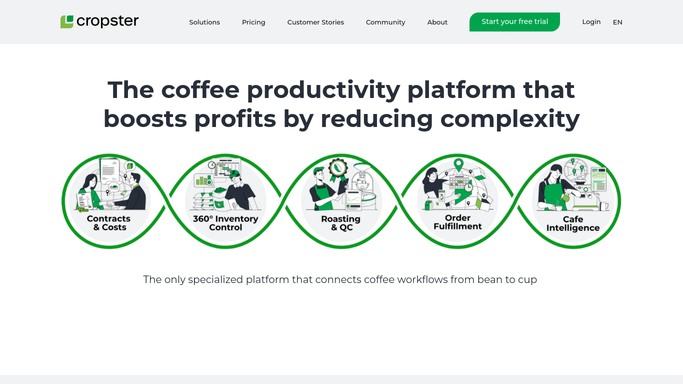
WebRun opens Cropster to confirm roast date and bag count for each. - Check the production schedule in Cropster for the roast date assigned to this cycle's subscription blend
- Confirm the roasted quantity on hand or scheduled covers the total bag count needed
- Flag any shortfall between scheduled roast output and total subscription demand
Done when Roast date and available quantity are confirmed against total subscription bag demand for this cycle.
-
3
Slack - post the packing digest to fulfillment
slack.com How to Automate Slack

WebRun opens Slack to post the packing digest to fulfillment. - Post the packing digest to your fulfillment channel, grouped by roast date
- List the total boxes to pack, the bag count per box, and any grind preference notes
- Flag at the top any shortfall between roasted quantity and orders due
Done when Fulfillment has this cycle's full packing digest in Slack before packing starts.
How is each run configured?
Secure by default
Connect once, stays signed in
WebRun signs in once and keeps each session in a persistent environment, so every run picks up right where it left off.
Shopify
Sign in once
Every action is checked against this policy before it runs.
Questions, answered
Will it pack or ship the boxes itself?
No. WebRun only compiles the packing digest. Your fulfillment team still packs and ships every box, this just tells them exactly what is due and whether the roast is ready.
What happens if roasted quantity does not cover all the subscription orders?
It flags the shortfall at the top of the Slack digest so your head roaster can schedule an extra batch before the packing deadline instead of finding out mid pack.
Does it handle one time orders as well as subscriptions?
It focuses on active subscription orders due this cycle in Shopify. One time wholesale orders are covered by a separate order tracking workflow.
Related templates
Put this on autopilot.
Turn it on in minutes - or have our team set it up for you.