Find the device whose protection quietly stopped working
Every morning, WebRun signs in to your Avast account, goes through each protected device to check when it last reported in, whether its protection is current, and whether anything was detected, opens a Trello card for every device that needs attention, and texts you through Twilio when a threat has been found on any machine.
- No credit card
- Under $0.01 per run
- Cancel anytime
How do I check that every device still has working antivirus protection?
WebRun signs in to your Avast account every morning and checks each device for a stale check-in, out of date protection, or a detection. It opens one Trello card per problem device with the fix checklist, and texts your saved IT number through Twilio whenever a threat is found, so protection gaps do not sit unnoticed.
- Devices that stopped reporting in are caught within a day
- Every threat detection reaches a person the same morning
- Each problem device carries one card and one fix checklist
Built for IT admins · managed service providers · small business owners · office managers
What does WebRun do on every run?
The exact actions WebRun takes, in order - in plain language, so you can adjust anything.
-
WebRun signs in and gets to work
Opens
my.avast.comin a real browser with your saved login - no setup, no API keys. -
1
Avast - check every device's protection
avast.com
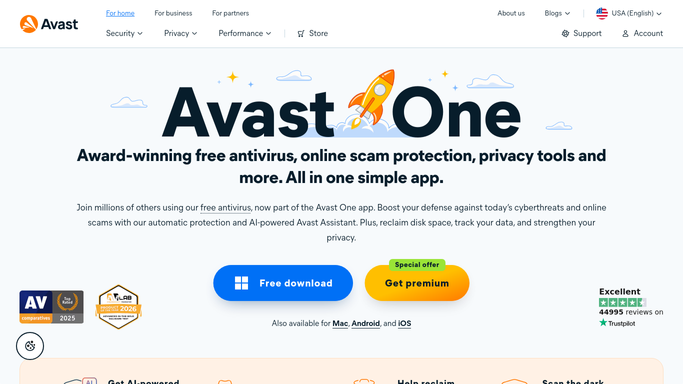
WebRun opens Avast to check every device's protection. - Sign in to your Avast account and open the device list
- Capture each device with its name, platform, and the date it last reported in
- Flag devices that have not checked in for more than seven days
- Flag devices whose protection or definitions are shown as out of date
- Capture any detection or threat listed against a device, with the date
- Read only. Never run a scan, quarantine a file, change a setting, or remove a device
Done when Every device has a captured check-in date, protection state, and detection history.
-
2
Trello - card each device needing attention
trello.com How to Automate Trello

WebRun opens Trello to card each device needing attention. - Open your IT board in Trello
- Create a card for each device that is offline, out of date, or carrying a detection
- Title the card with the device name and the problem
- Put the last check-in date, the platform, and the detection detail in the description
- Add a checklist for the fix: reach the user, confirm the agent is running, update, rescan
- Comment on the existing card instead of opening a second one for the same device
Done when Every device needing attention has exactly one open Trello card with the detail attached.
-
3
Twilio - text you when a threat is found
twilio.com How to Automate Twilio

WebRun opens Twilio to text you when a threat is found. - Send a short text through Twilio to your own saved IT number when a threat is listed on any device
- Name the device, the detection, and the date in the message
- Queue anything less urgent, such as a device merely offline, for you to review and release
- Use only the numbers you save yourself. WebRun never texts a staff member or an outside party
Done when Any device with a threat has been raised by text, and everything else is queued for you.
How is each run configured?
Secure by default
Connect once, stays signed in
WebRun signs in once and keeps each session in a persistent environment, so every run picks up right where it left off.
Every action is checked against this policy before it runs.
Questions, answered
Will it change my security settings or delete files?
No. WebRun reads your Avast account only. It never starts a scan, quarantines or deletes a file, changes a protection setting, removes a device, or renews a subscription.
Who gets the text alert?
Only the numbers you save yourself, and only when a threat is listed on a device. Anything less urgent, such as a machine simply offline, is queued in Twilio for you to release rather than sent.
Will the board fill with repeat cards?
No. When a device already has an open card, WebRun adds a comment with today's status instead of creating another card, so each device keeps one thread from problem to fix.
Related templates
Put this on autopilot.
Turn it on in minutes - or have our team set it up for you.