Score your Absolute Security device fleet every week
Every Monday, WebRun opens Absolute Security, checks the device fleet for machines that have not checked in recently or show signs of agent tampering, posts a weekly scorecard to Telegram, and sends you a direct Twilio text if a device is flagged as missing.
- No credit card
- Under $0.01 per run
- Cancel anytime
How do I get a weekly scorecard of my Absolute Security device fleet?
WebRun checks your Absolute Security device fleet every Monday for machines that have not checked in or show signs of tampering, posts a scorecard to Telegram comparing this week's counts to last week's, and texts you the moment a device is flagged missing. It never locks or wipes a device itself, leaving that trigger to your IT admin.
- Fleet health gets scored weekly instead of discovered during an incident
- A missing device triggers a direct text the same week it is flagged
- Tamper and silent counts are tracked against the prior week
Built for IT admins · security teams · enterprise helpdesks · asset management teams
What does WebRun do on every run?
The exact actions WebRun takes, in order - in plain language, so you can adjust anything.
-
WebRun signs in and gets to work
Opens
www.absolute.comin a real browser with your saved login - no setup, no API keys. -
1
Absolute Security - check device check-in and tamper status
absolute.com
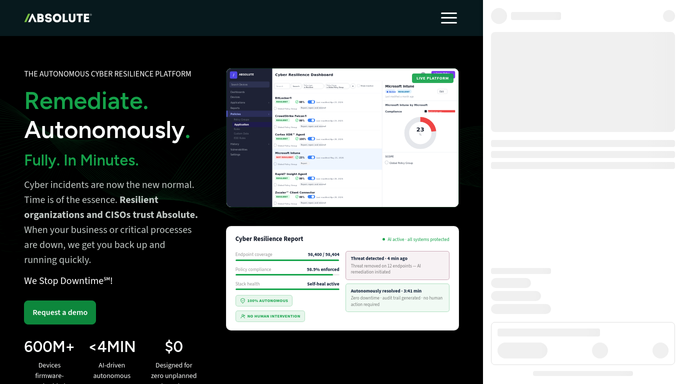
WebRun opens Absolute Security to check device check-in and tamper status. - Open Absolute Security and review the device fleet
- Check each device's last check-in date and tamper status
- Flag any device silent for more than 14 days or marked missing
Done when Every device's check-in and tamper status has been reviewed.
-
2
Telegram - post the weekly scorecard
telegram.org How to Automate Telegram

WebRun opens Telegram to post the weekly scorecard. - Post this week's fleet scorecard to Telegram
- Include counts of healthy, silent, and tampered devices
- Compare against last week's counts
Done when Telegram has this week's device fleet scorecard.
-
3
Twilio - text you about a missing device
twilio.com How to Automate Twilio

WebRun opens Twilio to text you about a missing device. - Send yourself a text the moment a device is flagged as missing
- Name the device and its last known location if available
- Stay quiet when no device is newly missing
Done when Any newly missing device this week has triggered a direct text.
How is each run configured?
Secure by default
Connect once, stays signed in
WebRun signs in once and keeps each session in a persistent environment, so every run picks up right where it left off.
Every action is checked against this policy before it runs.
Questions, answered
Does WebRun lock or wipe a missing device itself?
No. WebRun only reports what Absolute Security already flagged. Locking, wiping, or freezing a device is left for your IT admin to trigger themselves.
What counts as a silent device?
Any device that has not checked in with Absolute Security for more than 14 days, using the check-in timestamp Absolute already tracks.
Will I get a text for every silent device?
No. The text only fires when a device is specifically flagged as missing. Routine silent check-ins appear only in the weekly scorecard.
Related templates
 Akamai›
Put this on autopilot.
Turn it on in minutes - or have our team set it up for you.