How to Automate Teaching Strategies GOLD
Teaching Strategies GOLD automates observational assessment: the documentation app captures evidence, checkpoint ratings roll into class and child reports, and objectives map to state and Head Start frameworks. Lining those records up against enrolment, tuition and staffing is where an agent like WebRun helps.
 Written by
Aiko Tanabe
Product researcher
Written by
Aiko Tanabe
Product researcher
 Reviewed by
Hannah Vogel
Finance operations
Reviewed by
Hannah Vogel
Finance operations
The photograph is both the teaching and the paperwork
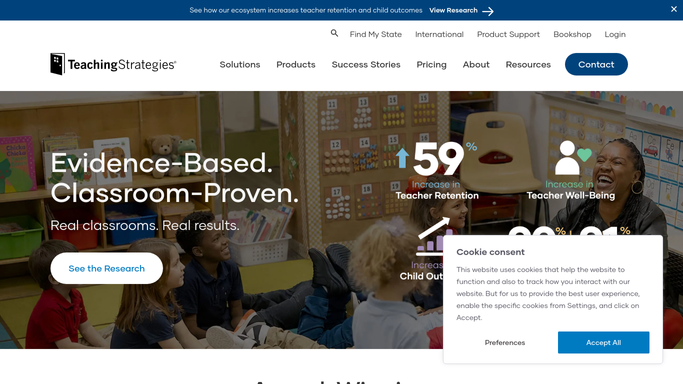
Teaching Strategies GOLD, usually shortened to TS GOLD or just GOLD, is an observational assessment system for children from birth through third grade. Teachers reach it through MyTeachingStrategies, the platform they sign into each morning.
It works nothing like the testing most people picture. Nobody sits a three-year-old down with a paper. A teacher watching a child stack blocks writes a note, takes a photo, keeps the painting, and that becomes the evidence. Those observations get rated against thirty-eight objectives for development and learning, on colour-coded progressions, at checkpoint periods through the year.
For a preschool, a Head Start programme or a family child care home, that record does two jobs at once. It tells a teacher what this particular child needs on Tuesday, and it is the documentation a funder, a state agency or a district will ask for. The same photograph is the teaching and the paperwork.
Checkpoint week exposes what nobody wrote down
What surrounds that record is a centre, and a centre has a business attached to it.
Checkpoint week is the visible version: somebody works out which children still have objectives with no documentation against them, then reminds teachers who are already short-staffed. The rest of the year is quieter and just as constant. Somebody checks whether next week's lesson plans went up. Somebody notices an immunisation record expired, in a file that is not in GOLD at all. Somebody counts adults against children to confirm room three is still within ratio.
And somebody works out which families have not signed the re-enrolment contract, which autopay charges failed this month, and who is next on the waiting list for the two-year-old room.
Directors of small centres do all of that, usually between four and six, once the last child has gone home.
GOLD documents the child, not the centre
GOLD does the assessment side thoroughly, and a centre that has not turned all of it on should before buying anything else.
The GOLD Documentation App captures notes, photos, videos and digital work samples on a phone in the moment, which is the only way this ever gets done at all. Checkpoint ratings roll up into reports written for different readers: a Class Profile Report for planning, an Individual Child Report for a teacher, a Growth Report and a Report Card meant for families. Families can send observations in from home. Objectives are aligned to state early learning standards and to the Head Start Early Learning Outcomes Framework, so one set of ratings feeds several obligations at once. Interrater reliability certification exists so two teachers rating the same child land in the same place.
All of that is about the child.
The child is not the whole record. Enrolment, tuition, autopay, immunisation dates, staffing rotas and this morning's ratio live in the childcare management system, the payment processor and a filing cabinet. None of those is GOLD, and none of them can see it.
The two halves of a centre can finally see each other
A director is effectively keeping two records that have never met. Let them meet and the day changes shape.
Children whose checkpoint documentation is thin with two weeks left in the period, listed by classroom and by objective, so a teacher gets a specific ask instead of a general reminder. Kindergarten readiness summaries assembled from ratings that already exist rather than rewritten by hand each spring.
Immunisation dates read out of the enrolment file and flagged before they lapse rather than during an inspection. Failed autopay charges checked against who is genuinely still attending, so no family is chased for a child who left in March. Conference slots matched to a teacher's calendar and the child's latest progress notes in the same pass. Room ratios held against the day's attendance and the staff rota, every morning, before it becomes a problem.
Every one of those touches a child or a family, so none of them goes out alone. The gathering runs unattended overnight. The message waits for the director.
The evening should not go on copying ratings
At seven in the evening a teacher is copying ratings into a summary and a director is working through failed autopay charges, and neither task needs the training they have.
WebRun is an AI agent that works a real Chrome browser, signed in as you. It opens GOLD, the childcare management system, the payment processor or a shared drive, reads what each screen shows, and hands back the list with the differences named.
It runs on your schedule inside your own private environment, and you can watch a run and stop it part-way. Nothing is written into a child's record, and anything addressed to a family is drafted and waits for a person.
Each workflow below names the screens it opens.
Questions people ask
Could a checkpoint rating get altered by accident?
No. It reads GOLD and writes nothing back. Ratings are a professional judgement made by the teacher who did the observing, so an agent can report on which ones are missing and go no further.
Can it message families about tuition on its own?
No. It prepares the list and the wording, and a person sends it. Parents at a small centre talk to each other in the car park, and one wrongly aimed note about a failed payment travels a long way.
GOLD and our childcare system do not talk to each other. Does that block this?
No, that is the situation it is built for. It opens each one in a browser the way your staff do and compares what it finds, so no integration has to exist between them first.
12 ready-made Teaching Strategies GOLD workflows
Each one names the apps it touches and the exact steps it takes. Open one to read what it will do, then turn it on.







Want one of these running on your own Teaching Strategies GOLD?
Show WebRun the process once and it will run it on schedule, in your own private browser environment.