Draft kindergarten readiness reports for families
On the first of the month, WebRun opens Teaching Strategies GOLD, pulls each child's latest checkpoint ratings across all developmental domains, drafts a plain language kindergarten readiness report in Google Docs, and leaves a personalized email with the report attached in Gmail for the teacher to review and send to the family.
- No credit card
- Under $0.01 per run
- Cancel anytime
How do I turn GOLD assessment data into a kindergarten readiness report for families?
WebRun pulls every child's checkpoint ratings from Teaching Strategies GOLD, drafts a plain language kindergarten readiness report by developmental domain in Google Docs, and attaches it to a draft email in Gmail for the family. Reports are prepared monthly ahead of conferences and school transitions, and every one waits for a teacher to review and send.
- Every family gets a plain language report instead of a raw checkpoint printout
- Teachers start from a finished draft instead of a blank document each reporting period
- No report reaches a family before a teacher has reviewed and approved it
Built for pre-K teachers · preschool directors · early learning centers · kindergarten transition teams
What does WebRun do on every run?
The exact actions WebRun takes, in order - in plain language, so you can adjust anything.
-
WebRun signs in and gets to work
Opens
mygold.teachingstrategies.comin a real browser with your saved login - no setup, no API keys. -
1
Teaching Strategies GOLD - pull each child's checkpoint ratings
teachingstrategies.com How to Automate Teaching Strategies GOLD
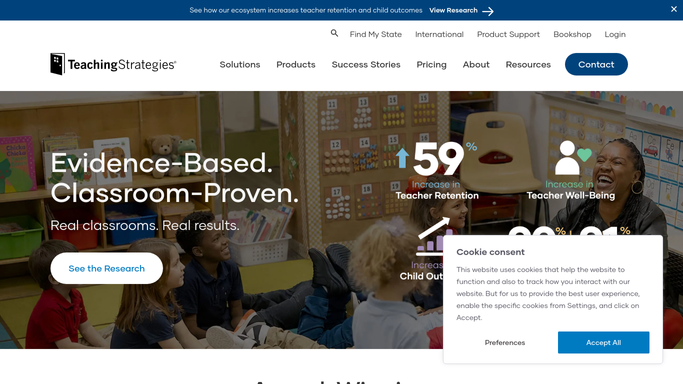
WebRun opens Teaching Strategies GOLD to pull each child's checkpoint ratings. - Open Teaching Strategies GOLD and pull the latest checkpoint ratings for every child due a report
- Group the ratings by developmental domain: literacy, math, social emotional, and physical
Done when Every child due a report has their full checkpoint data pulled.
-
2
Google Docs - draft the readiness report
docs.google.com How to Automate Google Docs

WebRun opens Google Docs to draft the readiness report. - Draft a plain language summary of strengths and growth areas for each domain
- Use the center's report template so formatting matches past reports
- Flag any domain rated well below range for the teacher to expand on
Done when A complete draft report exists in Google Docs for every child.
-
3
Gmail - queue it for the family
gmail.com How to Automate Gmail

WebRun opens Gmail to queue it for the family. - Attach the finished draft to a short email addressed to the family
- Leave the email in Drafts. Never send a readiness report without teacher review
- Note which reports still need a teacher's added comments before sending
Done when A draft report email is waiting in Gmail for every family, none sent yet.
How is each run configured?
Secure by default
Connect once, stays signed in
WebRun signs in once and keeps each session in a persistent environment, so every run picks up right where it left off.
Every action is checked against this policy before it runs.
Questions, answered
Will a report go home without a teacher reading it first?
No. Every readiness report is drafted and attached to an email left in Gmail. A teacher has to review and send it. WebRun never emails a family directly.
How does it turn checkpoint ratings into plain language?
It groups each child's GOLD ratings by developmental domain and writes a short summary of strengths and growth areas in the center's existing report template, so the format matches what families already expect.
Can a teacher edit the draft before sending?
Yes. The draft sits in Google Docs and Gmail exactly like any other draft, so a teacher can add a comment or adjust the wording before it goes home.
Related templates
Put this on autopilot.
Turn it on in minutes - or have our team set it up for you.