Run every new Alibaba supplier through the same vetting checklist
When you add a new Alibaba supplier to vet, WebRun opens their storefront, checks Trade Assurance status, certificates, and transaction history, logs every checklist item to Airtable, builds a Notion profile page summarizing the result, and drafts a message asking for anything missing, leaving it unsent for you to review.
- No credit card
- Under $0.01 per run
- Cancel anytime
How do I vet a new Alibaba supplier consistently before ordering?
WebRun checks each new Alibaba supplier against your vetting checklist, reading their Trade Assurance status, verification badges, and transaction history. It logs every item to an Airtable row, builds a Notion profile page summarizing the result, and drafts a message asking for anything missing, leaving it unsent for you to review and send.
- Every new supplier gets the same checklist, not whatever you remember to check
- Vetting history lives in one Airtable row instead of scattered browser tabs
- Follow up messages are drafted and ready the same day a supplier is added
Built for import and sourcing businesses · ecommerce private label sellers · procurement teams · dropshipping businesses
What does WebRun do on every run?
The exact actions WebRun takes, in order - in plain language, so you can adjust anything.
-
WebRun signs in and gets to work
Opens
alibaba.comin a real browser with your saved login - no setup, no API keys. -
1
Alibaba - vet the supplier and draft a message
alibaba.com
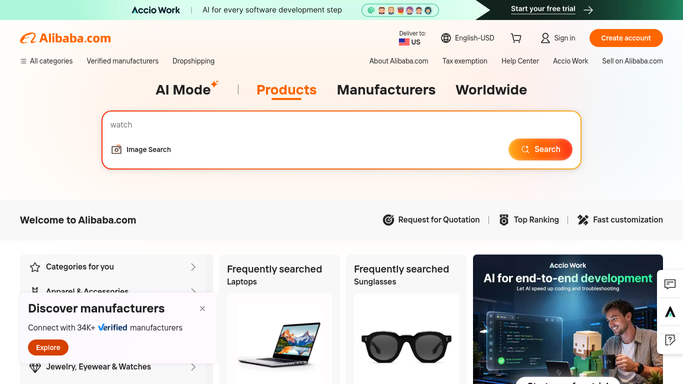
WebRun opens Alibaba to vet the supplier and draft a message. - Open the new supplier's storefront on Alibaba
- Check Trade Assurance status, verification badges, and years active
- Review recent transaction history and any certificates listed
- Draft a message asking for anything missing, such as a certificate or sample terms, and leave it unsent
Done when The supplier's storefront has been checked against every item on the vetting checklist, and a draft message is ready for review.
-
2
Airtable - log the checklist
airtable.com How to Automate Airtable

WebRun opens Airtable to log the checklist. - Add a row for the supplier with a pass, fail, or needs-info mark on each checklist item
- Record the Trade Assurance status and verification badges found
- Flag the row for follow up if anything came back needs-info
Done when The supplier has one Airtable row covering every checklist item.
-
3
Notion - keep the supplier profile
notion.so How to Automate Notion

WebRun opens Notion to keep the supplier profile. - Create or update the supplier's profile page with what was found
- Attach a summary of the vetting result and any open questions
- Link back to the Airtable row for the full checklist
Done when The supplier has a Notion profile page summarizing the vetting.
How is each run configured?
Secure by default
Connect once, stays signed in
WebRun signs in once and keeps each session in a persistent environment, so every run picks up right where it left off.
Every action is checked against this policy before it runs.
Questions, answered
Will it message the supplier without me?
No. WebRun only drafts the message asking for missing documents. It leaves the draft unsent in Alibaba's chat for you to review and send yourself.
What does the checklist actually check?
It reads what's publicly shown on the supplier's Alibaba storefront: Trade Assurance status, verification badges, years active, transaction history, and listed certificates.
Does it decide whether a supplier is trustworthy?
No. It only records what it finds against your checklist. Whether a supplier passes is still your call, made with the full picture in one place.
Related templates
Put this on autopilot.
Turn it on in minutes - or have our team set it up for you.