See how Afterpay is really selling for you
Every Monday, WebRun signs in to your Afterpay merchant account, totals last week's orders, order value, and refunds, compares them with the previous weeks and the settlements received, pings you the scorecard on Telegram, and raises a Trello card for anything moving the wrong way.
- No credit card
- Under $0.01 per run
- Cancel anytime
How do I track weekly Afterpay order volume and refund rate?
WebRun signs in to your Afterpay merchant account every Monday and totals last week's orders, order value, refunds, and settlements, comparing each against the three weeks before. It sends the scorecard to Telegram and raises a Trello card whenever value falls or the refund rate climbs.
- You see whether Afterpay volume is actually growing each week
- A rising refund rate is caught in the week it happens
- Order value and settlements sit side by side in one message
Built for ecommerce owners · retail finance teams · online store managers · operations leads
What does WebRun do on every run?
The exact actions WebRun takes, in order - in plain language, so you can adjust anything.
-
WebRun signs in and gets to work
Opens
www.afterpay.comin a real browser with your saved login - no setup, no API keys. -
1
Afterpay - total last week's orders
afterpay.com
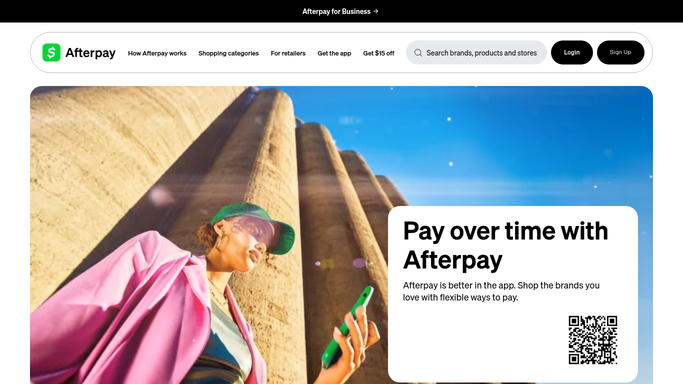
WebRun opens Afterpay to total last week's orders. - Sign in to your Afterpay merchant account and set the date range to last week
- Total the order count and the order value for the week
- Total refunds for the week and work out the refund rate against orders
- Read the settlements received and note the same figures for the three weeks before
Done when Last week's orders, value, refunds, and settlements are totalled beside the prior weeks.
-
2
Telegram - send you the scorecard
telegram.org How to Automate Telegram

WebRun opens Telegram to send you the scorecard. - Send the weekly scorecard to Telegram
- Lead with order count, order value, and average order value against the prior week
- Show the refund rate and whether it is rising or falling
- Name the settlements received so the cash side is visible too
Done when You have last week's Afterpay scorecard in Telegram.
-
3
Trello - raise the follow-up cards
trello.com How to Automate Trello

WebRun opens Trello to raise the follow-up cards. - Add a Trello card when order value falls or the refund rate rises against the prior weeks
- Put the figures and the size of the change on the card
- Keep completed weeks on the board so the trend is easy to read
- Leave every pricing, promotion, or provider decision to you
Done when Trello holds a card for anything that moved the wrong way last week.
How is each run configured?
Secure by default
Connect once, stays signed in
WebRun signs in once and keeps each session in a persistent environment, so every run picks up right where it left off.
Every action is checked against this policy before it runs.
Questions, answered
Will it refund an order or move any money?
No. WebRun only reads your Afterpay order and refund figures. It never issues a refund, changes a settlement, or moves money, and every financial action stays with you.
Does it contact my customers?
No. The run touches Afterpay, Telegram, and Trello only. The scorecard is an internal message to you, and no shopper receives anything as a result.
What figures does the scorecard show?
Order count, order value, average order value, refund rate, and settlements received for last week, each set against the three weeks before so the direction is clear.
Related templates
Put this on autopilot.
Turn it on in minutes - or have our team set it up for you.