Keep one master sheet current from every team sheet
Every hour, WebRun opens Zoho Sheet, checks each team workbook for rows added or edited since the last run, copies them into your consolidated master sheet, raises a Trello card for anything that will not match, and sends you a short WhatsApp summary.
- No credit card
- Under $0.01 per run
- Cancel anytime
How do I combine several team spreadsheets into one master sheet?
Every hour WebRun opens Zoho Sheet, reads each team's workbook, and copies new and changed rows into one consolidated master sheet. It logs any row it could not match onto a Trello card and sends a short WhatsApp note, so your reporting sheet is never more than an hour stale.
- The master sheet is never more than an hour behind the team sheets
- Nobody rebuilds the same consolidation by hand each week
- Rows that will not map are raised in Trello instead of silently dropped
Built for operations managers · finance teams · multi-site businesses · analysts
What does WebRun do on every run?
The exact actions WebRun takes, in order - in plain language, so you can adjust anything.
-
WebRun signs in and gets to work
Opens
sheet.zoho.comin a real browser with your saved login - no setup, no API keys. -
1
Zoho Sheet - collect new and changed rows
sheet.zoho.com
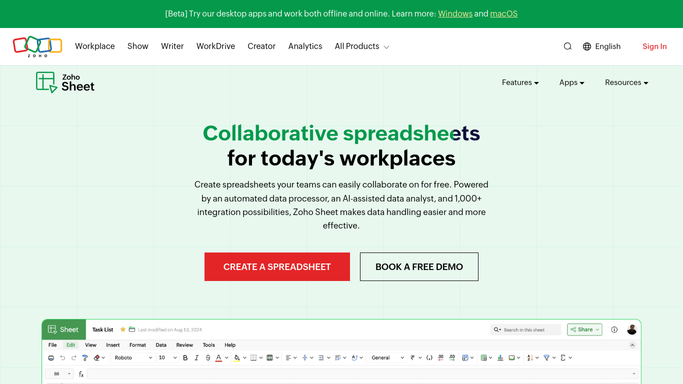
WebRun opens Zoho Sheet to collect new and changed rows. - Open Zoho Sheet and go through each team workbook on your list
- Read the last modified time and pick up rows added or edited since the previous run
- Map each source column onto the master sheet's columns
- Append the new rows to the master sheet and update rows that changed
- Never delete a master row. Rows that vanish upstream are marked instead
Done when The master sheet holds every new and changed row from the team workbooks.
-
2
Trello - raise cards for mismatched rows
trello.com How to Automate Trello

WebRun opens Trello to raise cards for mismatched rows. - Create a card for any row whose columns do not line up with the master sheet
- Name the source workbook, the sheet tab, and the row so it can be found
- Add a card when a team workbook was not readable this run
- Close cards whose rows landed cleanly on a later run
Done when Every row that could not be consolidated has an open Trello card.
-
3
WhatsApp - send the hourly summary
whatsapp.com How to Automate WhatsApp

WebRun opens WhatsApp to send the hourly summary. - Send a short note with how many rows were added and updated
- Name any workbook that was skipped or could not be read
- Only send when something changed, so quiet hours stay quiet
Done when You have this hour's consolidation summary on WhatsApp.
How is each run configured?
Secure by default
Connect once, stays signed in
WebRun signs in once and keeps each session in a persistent environment, so every run picks up right where it left off.
Every action is checked against this policy before it runs.
Questions, answered
Can it overwrite or delete my data?
No. WebRun only appends new rows and updates rows that changed upstream. It never deletes a master row, and anything it cannot match is left alone and raised as a Trello card.
What if a team adds a new column?
The row is copied with the columns it can map and a Trello card names the unmapped column, so you decide whether the master sheet should carry it.
Does it re-copy the same rows every hour?
No. It reads each workbook's last modified time and row keys, so only rows added or edited since the previous run are picked up.
Related templates
Put this on autopilot.
Turn it on in minutes - or have our team set it up for you.