Follow up on the quotes going cold
Every Monday, WebRun opens Zoho Invoice, finds every estimate still sitting at sent, notes its age, value, customer, and expiry date, drafts a short WhatsApp nudge for each one and leaves it unsent for you, then opens a Trello card per open quote so nothing nearly won goes quiet.
- No credit card
- Under $0.01 per run
- Cancel anytime
How do I follow up on quotes that were never accepted?
WebRun works your cold quotes every Monday. It opens Zoho Invoice, lists every estimate still sitting at sent with its age, value, and expiry date, drafts a polite WhatsApp nudge per customer for you to approve, and opens a Trello card so each open quote gets chased.
- Every open quote is chased before it expires
- Nudges are drafted for approval, never sent behind your back
- The board shows the highest value quotes still waiting first
Built for small business owners · trades and contractors · agencies · freelancers
What does WebRun do on every run?
The exact actions WebRun takes, in order - in plain language, so you can adjust anything.
-
WebRun signs in and gets to work
Opens
invoice.zoho.comin a real browser with your saved login - no setup, no API keys. -
1
Zoho Invoice - find quotes going cold
invoice.zoho.com
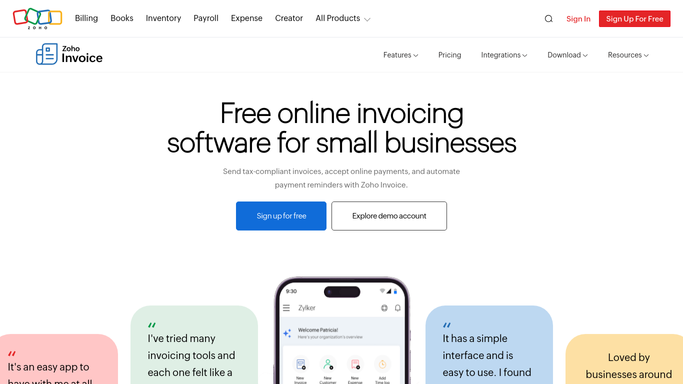
WebRun opens Zoho Invoice to find quotes going cold. - Open Zoho Invoice and filter estimates to sent
- Capture the customer, value, sent date, and expiry date for each
- Work out how many days each estimate has been waiting
- Skip anything already accepted, declined, or converted to an invoice
Done when Every open estimate is listed with its age, value, and expiry date.
-
2
WhatsApp - draft a nudge for each
whatsapp.com How to Automate WhatsApp

WebRun opens WhatsApp to draft a nudge for each. - Open the chat with each customer who has an open estimate
- Draft a short, polite nudge naming the quote, its value, and its expiry date
- Leave every message unsent in the chat box for you to read and send
- Never send a customer message automatically
Done when Each cold quote has a drafted nudge waiting for your approval.
-
3
Trello - open a chase card
trello.com How to Automate Trello

WebRun opens Trello to open a chase card. - Open a Trello card per open estimate with the customer, value, and days waiting
- Put the highest value and the soonest to expire at the top
- Move cards for estimates that were accepted or declined to Done
Done when Every open quote has a card and the board matches Zoho Invoice.
How is each run configured?
Secure by default
Connect once, stays signed in
WebRun signs in once and keeps each session in a persistent environment, so every run picks up right where it left off.
Every action is checked against this policy before it runs.
Questions, answered
Will it message customers without me?
No. Every WhatsApp nudge is drafted and left unsent in the chat. You read it, edit it if you want, and press send yourself, so no customer hears from WebRun on its own.
How is this different from chasing overdue invoices?
It works a step earlier. Overdue chasing is about money already billed. This runs on estimates that were sent and never accepted or declined, before the work is won.
What happens when a quote is accepted?
It reads the live estimate status in Zoho Invoice every Monday, so accepted, declined, and converted quotes drop off the list and their Trello cards are moved to Done.
Related templates
Put this on autopilot.
Turn it on in minutes - or have our team set it up for you.