Recap your daily Yoco takings
Every night, WebRun opens your Yoco dashboard, totals the day's card takings by payment type and by till, adds the row to a running Google Sheet, and sends you a short WhatsApp message with today's total and how it compares to yesterday.
- No credit card
- Under $0.01 per run
- Cancel anytime
How do I get a daily recap of my Yoco card takings?
WebRun recaps your Yoco takings every night. It opens your Yoco dashboard, totals the day's card sales by payment type and till, logs the figures to a running Google Sheet, and sends you a short WhatsApp message with tonight's total and how it compares to yesterday, before you lock up.
- Tonight's total lands in WhatsApp before you lock the till
- Every day is logged, even the quiet ones
- Yesterday and today sit side by side with no manual copying
Built for independent retailers · cafes and restaurants · salons · spaza shops and small traders
What does WebRun do on every run?
The exact actions WebRun takes, in order - in plain language, so you can adjust anything.
-
WebRun signs in and gets to work
Opens
app.yoco.comin a real browser with your saved login - no setup, no API keys. -
1
Yoco - total today's card takings
yoco.com How to Automate Yoco
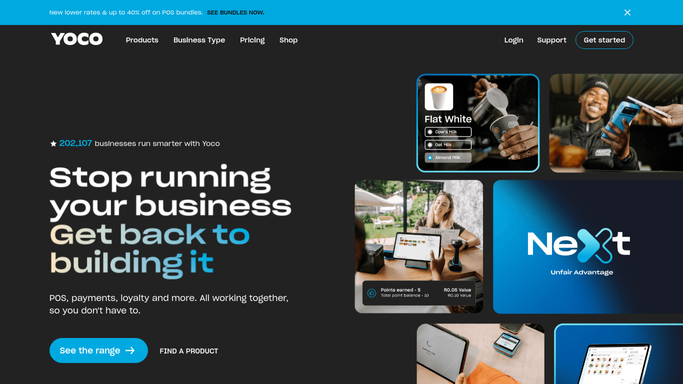
WebRun opens Yoco to total today's card takings. - Open the Yoco dashboard and pull today's card transactions
- Total takings by payment type (tap, chip and PIN, QR) and by till if there is more than one
- Note the transaction count and the average sale value
Done when Today's takings are totaled by payment type and by till.
-
2
Google Sheets - log the daily total
google.com How to Automate Google Sheets

WebRun opens Google Sheets to log the daily total. - Open the daily takings log and add tonight's row
- Carry over yesterday's total so the two sit side by side
- Highlight the row if today is well below yesterday
Done when Tonight's totals are added to the running log next to yesterday's.
-
3
WhatsApp - send you tonight's recap
whatsapp.com How to Automate WhatsApp

WebRun opens WhatsApp to send you tonight's recap. - Send you a short message with tonight's total takings
- Include the change versus yesterday and the busiest till
- Keep the message short enough to read in one glance
Done when You have tonight's recap in WhatsApp before you lock up.
How is each run configured?
Secure by default
Connect once, stays signed in
WebRun signs in once and keeps each session in a persistent environment, so every run picks up right where it left off.
Every action is checked against this policy before it runs.
Questions, answered
Does it change anything in my Yoco account?
No. WebRun only reads your transaction totals from Yoco. It never processes a sale, refund, or payout, it just reports on what already happened.
What happens on a day with no card sales?
It still logs a zero and sends the WhatsApp recap, so a quiet day never looks like a missed run. WebRun flags the gap instead of hiding it.
Can it recap more than one till or branch?
Yes. If your Yoco account covers more than one till, WebRun totals each one separately in the log and rolls them into the same WhatsApp recap.
Related templates
Put this on autopilot.
Turn it on in minutes - or have our team set it up for you.