Catch a Wufoo form that suddenly stops receiving entries
Every morning, WebRun opens Wufoo, reads yesterday's entry count for each live form, compares it against that form's normal run rate, checks Gmail to see whether the entry notification emails also stopped, and posts Slack an alert naming any form that has gone unexpectedly quiet.
- No credit card
- Under $0.01 per run
- Cancel anytime
How do I find out when a web form stops receiving submissions?
WebRun opens Wufoo every morning and compares each live form's entry count against its own normal run rate. It checks Gmail to see whether the notification emails stopped too, then posts a Slack alert naming any form that has gone quiet, so a broken embed is caught within a day.
- A broken lead form is caught within a day, not at month end
- No alert on a normal day, so the channel stays quiet
- Notification emails confirm the drop before anyone is chased
Built for marketers · web teams · agencies · small business owners
What does WebRun do on every run?
The exact actions WebRun takes, in order - in plain language, so you can adjust anything.
-
WebRun signs in and gets to work
Opens
wufoo.comin a real browser with your saved login - no setup, no API keys. -
1
Wufoo - compare entry counts against normal
wufoo.com
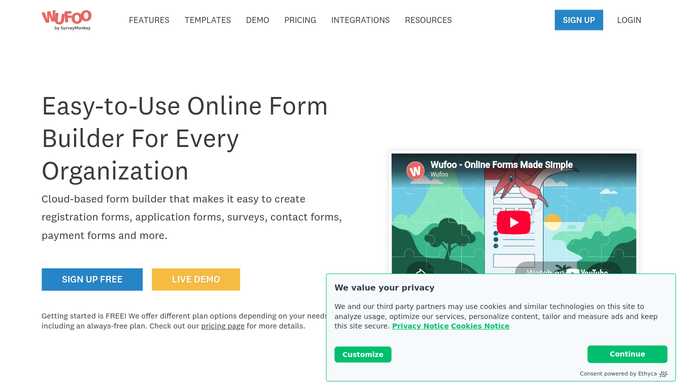
WebRun opens Wufoo to compare entry counts against normal. - Open Wufoo and list every form still marked active
- Read yesterday's entry count for each form and the entries from the days before it
- Compare each count against that form's own normal run rate for the same weekday
- Flag any form that dropped to zero or fell well below its usual level
- Check the form status and notification settings for anything switched off
Done when Every active form has yesterday's count compared against its normal level.
-
2
Gmail - confirm the notifications stopped too
gmail.com How to Automate Gmail

WebRun opens Gmail to confirm the notifications stopped too. - Search the inbox for the entry notification emails that form usually sends
- Confirm whether they stopped arriving on the same day the count dropped
- Use that to tell a genuinely broken form from a reporting gap
- Draft a heads-up to whoever owns the page the form sits on, and leave it unsent for you to review
Done when Each flagged form is confirmed against its notification emails.
-
3
Slack - alert the team the same day
slack.com How to Automate Slack

WebRun opens Slack to alert the team the same day. - Post an alert naming each quiet form, its normal daily entries, and yesterday's count
- Say how many days it has been quiet and where the form is embedded
- Note whether the notification emails stopped as well
- Stay silent on days when every form is running normally
Done when The team has an alert for every quiet form, or nothing at all on a normal day.
How is each run configured?
Secure by default
Connect once, stays signed in
WebRun signs in once and keeps each session in a persistent environment, so every run picks up right where it left off.
Every action is checked against this policy before it runs.
Questions, answered
Will it email the web team without me?
No. The heads-up to whoever owns the page is written and left unsent in Gmail drafts. You read it and press send, so nobody is chased about a false alarm.
Will a naturally quiet weekend trigger an alert?
No. WebRun compares each form against its own normal level for that weekday, so a form that never gets Sunday entries is not reported as broken on a Monday.
Does it change anything in my forms?
No. WebRun only reads entry counts, form status, and notification settings. Editing or republishing a form stays entirely manual.
Related templates
Put this on autopilot.
Turn it on in minutes - or have our team set it up for you.