Get your TTB report ready before the deadline
In the run up to each month's TTB deadline, WebRun opens InnoVint, pulls the production, storage, and processing figures it has tracked toward the 5120.17 report, lays them out in a review ready Google Sheet, and posts a reminder to Slack telling your compliance person the report is ready to check and file. WebRun never submits it.
- No credit card
- Under $0.01 per run
- Cancel anytime
How do I prepare my monthly TTB 5120.17 report before the filing deadline?
WebRun gets your monthly TTB report ready to file, it never files it for you. In the days before each deadline, it pulls the production, storage, and processing figures tracked in InnoVint, lays them out in a review ready Google Sheet matching the 5120.17 line order, and reminds your compliance person in Slack to review and submit it themselves.
- TTB figures are review ready days before the deadline instead of the night before
- Sharp month over month changes get flagged before filing, not after
- Filing itself always stays a human action, never automated
Built for compliance managers · winery owners · controllers · bonded winery operators
What does WebRun do on every run?
The exact actions WebRun takes, in order - in plain language, so you can adjust anything.
-
WebRun signs in and gets to work
Opens
cellar.innovint.usin a real browser with your saved login - no setup, no API keys. -
1
InnoVint - pull this month's production and storage figures
innovint.us How to Automate InnoVint
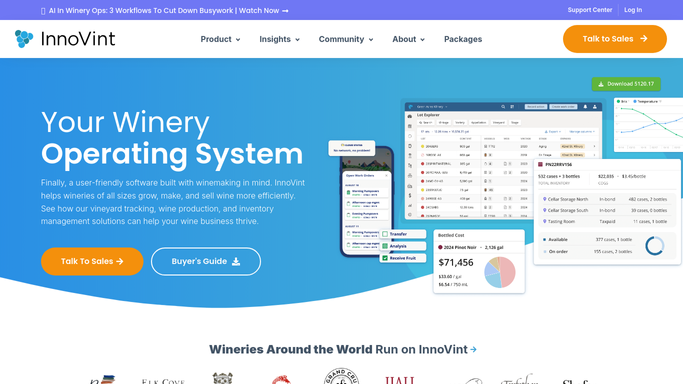
WebRun opens InnoVint to pull this month's production and storage figures. - Open InnoVint and pull this month's production, storage, and processing figures
- Check the figures against last month's closing inventory for consistency
- Flag any movement or lot missing a completed work order
Done when This month's production, storage, and processing figures are pulled and checked.
-
2
Google Sheets - lay out a review ready report summary
google.com How to Automate Google Sheets

WebRun opens Google Sheets to lay out a review ready report summary. - Open the TTB report working sheet
- Lay out this month's figures in the same line order as the 5120.17
- Highlight any figure that changed sharply from last month for a second look
Done when A review ready summary of this month's TTB figures exists in Google Sheets.
-
3
Slack - remind your compliance person to file
slack.com How to Automate Slack

WebRun opens Slack to remind your compliance person to file. - Post a reminder to your compliance channel that this month's TTB summary is ready to review
- Link the sheet and count down the days left before the filing deadline
- State plainly that WebRun has not filed anything, filing is still done by a person
Done when Your compliance person has the reviewed summary and the days remaining before the deadline in Slack.
How is each run configured?
Secure by default
Connect once, stays signed in
WebRun signs in once and keeps each session in a persistent environment, so every run picks up right where it left off.
Every action is checked against this policy before it runs.
Questions, answered
Does WebRun file the TTB report for me?
No, and it never will on its own. WebRun only compiles the figures into a review ready summary. Your compliance person still reviews it and files the actual 5120.17 report.
Where do the figures come from?
From what your cellar and production team already logged as work orders and movements in InnoVint. WebRun does not estimate or guess a figure it cannot find recorded.
What if a figure looks off compared to last month?
It highlights any figure that moved sharply from the prior month in the summary sheet, so your compliance person can double check it before filing rather than finding a surprise after submission.
Related templates
Put this on autopilot.
Turn it on in minutes - or have our team set it up for you.