Turn blending trials into a clear side by side summary
After each blending session, WebRun opens InnoVint, pulls every trial's component lots and percentages along with the tasting notes entered for each, lays them out side by side in a Google Sheet, and posts the comparison to Slack so the winemaking team can weigh in before a blend is finalized.
- No credit card
- Under $0.01 per run
- Cancel anytime
How do I compare blending trial components and tasting notes side by side?
WebRun turns a blending session's trials into one clear comparison. After each session, it opens InnoVint, pulls every trial's component lots, percentages, and tasting notes, lays them out side by side in a Google Sheet, and posts the comparison to Slack, so the winemaking team can compare trials and settle on a blend without digging back through separate records.
- Every trial's components and notes sit side by side instead of across separate pages
- The team decides on a blend from one shared comparison, not scattered notebooks
- Past trials stay easy to revisit against a new session
Built for winemakers · assistant winemakers · winemaking teams · consulting enologists
What does WebRun do on every run?
The exact actions WebRun takes, in order - in plain language, so you can adjust anything.
-
WebRun signs in and gets to work
Opens
cellar.innovint.usin a real browser with your saved login - no setup, no API keys. -
1
InnoVint - pull each trial's components and tasting notes
innovint.us How to Automate InnoVint
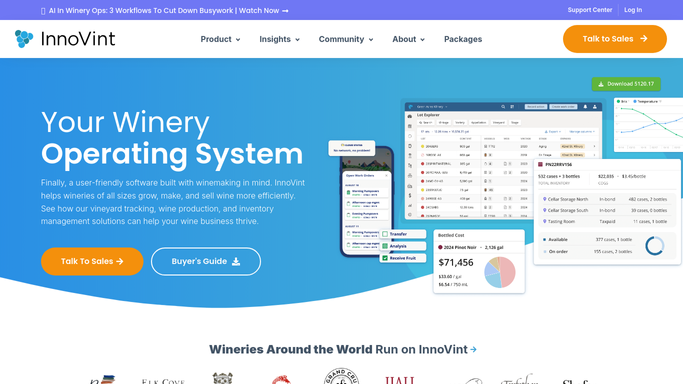
WebRun opens InnoVint to pull each trial's components and tasting notes. - Open InnoVint and find this session's blending trials
- Read each trial's component lots and their percentages
- Read any tasting notes or scores entered against each trial
Done when Every trial from this session has its components and notes captured.
-
2
Google Sheets - lay out the trials side by side
google.com How to Automate Google Sheets

WebRun opens Google Sheets to lay out the trials side by side. - Open the blending trial comparison sheet
- Add a column per trial with its component percentages
- Line up the tasting notes underneath each trial for a side by side read
Done when This session's trials are laid out side by side with components and notes.
-
3
Slack - share the comparison with the team
slack.com How to Automate Slack

WebRun opens Slack to share the comparison with the team. - Post the comparison sheet link to the winemaking channel
- Summarize each trial in one line: components and the standout note
- Ask the team to weigh in before the blend is finalized
Done when The winemaking team has this session's trial comparison in Slack.
How is each run configured?
Secure by default
Connect once, stays signed in
WebRun signs in once and keeps each session in a persistent environment, so every run picks up right where it left off.
Every action is checked against this policy before it runs.
Questions, answered
Does it recommend which blend to choose?
No. It only lays the trials out side by side with their components and notes. Which blend moves forward is still the winemaking team's call.
Where do the tasting notes come from?
Whatever your team already entered against each trial in InnoVint. WebRun does not taste or score wine, it only compiles what has been recorded.
Can it compare trials across more than one blending session?
Yes. Point it at more than one session's trials and it will lay all of them out in the same comparison sheet, so you can revisit an earlier trial against a new one.
Related templates
Put this on autopilot.
Turn it on in minutes - or have our team set it up for you.