Keep your case goods inventory report current
Every Friday, WebRun opens InnoVint to pull case goods on hand by SKU and vintage, checks the total inventory value against what QuickBooks has on the books, and posts a current inventory report to Slack so sales, the tasting room, and finance are all working from the same numbers.
- No credit card
- Under $0.01 per run
- Cancel anytime
How do I keep case goods inventory in sync between InnoVint and QuickBooks?
WebRun keeps sales, the tasting room, and finance looking at the same case goods numbers. Every Friday, it pulls case goods on hand by SKU and vintage from InnoVint, checks the total against the inventory value on the books in QuickBooks, and posts a reconciled inventory report to Slack, flagging any SKU running low or any mismatch between the two systems.
- Sales and finance work from the same case goods numbers every week
- Mismatches between InnoVint and QuickBooks surface before month end close
- Low SKUs get flagged before they actually run out
Built for controllers · winery owners · sales teams · operations managers
What does WebRun do on every run?
The exact actions WebRun takes, in order - in plain language, so you can adjust anything.
-
WebRun signs in and gets to work
Opens
cellar.innovint.usin a real browser with your saved login - no setup, no API keys. -
1
InnoVint - pull case goods on hand by SKU
innovint.us How to Automate InnoVint
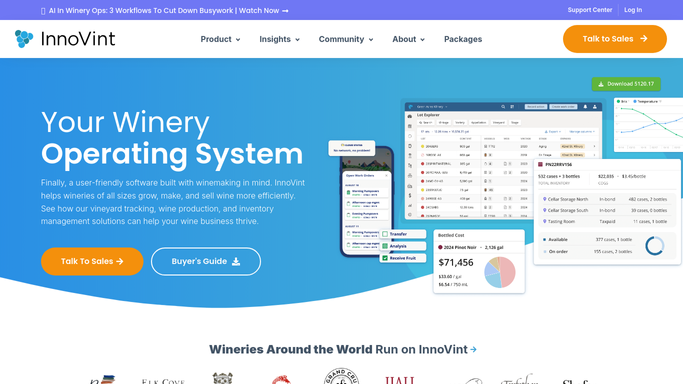
WebRun opens InnoVint to pull case goods on hand by SKU. - Open InnoVint and pull case goods on hand by SKU and vintage
- Note cost per case for each SKU
- Flag any SKU that dropped below your reorder or bottling trigger level
Done when Case goods on hand by SKU and vintage are pulled with current cost per case.
-
2
QuickBooks - reconcile inventory value
- Open QuickBooks and pull the inventory asset value on the books
- Compare it against the InnoVint case goods total
- Flag any SKU where the two numbers do not line up
Done when This week's InnoVint case goods total is checked against the QuickBooks inventory value.
-
3
Slack - post the current inventory report
slack.com How to Automate Slack

WebRun opens Slack to post the current inventory report. - Post this week's case goods report to the inventory channel by SKU and vintage
- Lead with any SKU near its reorder trigger
- Note any mismatch found against QuickBooks for finance to review
Done when Sales, tasting room, and finance have this week's reconciled inventory report in Slack.
How is each run configured?
Secure by default
Connect once, stays signed in
WebRun signs in once and keeps each session in a persistent environment, so every run picks up right where it left off.
Every action is checked against this policy before it runs.
Questions, answered
Does it fix a mismatch between InnoVint and QuickBooks itself?
No. It only flags where the two numbers disagree. Correcting a count or a book entry is still a decision for your finance or cellar team to make.
Does it place a bottling or reorder request when a SKU runs low?
No. It only flags a SKU near its reorder or bottling trigger in the report. Scheduling a bottling run or placing an order stays a human decision.
Can it break the report out by vintage as well as SKU?
Yes. Every SKU is reported with its vintage, so older and current release inventory never gets blended together in the numbers.
Related templates
Put this on autopilot.
Turn it on in minutes - or have our team set it up for you.