Turn each day's harvest into a tonnage report
Every night during harvest, WebRun opens InnoVint, pulls every load intake logged that day, totals the tonnage by block, lot, and varietal, writes it into a running Google Sheet, and posts the day's numbers to your Slack harvest channel.
- No credit card
- Under $0.01 per run
- Cancel anytime
How do I automatically track harvest tonnage by block during crush?
WebRun compiles your harvest intake into a tonnage report automatically. Every night during harvest, it reads each load logged in InnoVint, totals the tonnage by block and varietal, updates a running season to date Google Sheet, and posts the day's numbers to your Slack harvest channel, so the whole team sees the same picture the next morning.
- Same day tonnage by block instead of a spreadsheet built after crush ends
- Season to date totals stay current every night of harvest
- No load intake gets missed from the nightly numbers
Built for winemakers · cellar masters · vineyard managers · harvest crews
What does WebRun do on every run?
The exact actions WebRun takes, in order - in plain language, so you can adjust anything.
-
WebRun signs in and gets to work
Opens
cellar.innovint.usin a real browser with your saved login - no setup, no API keys. -
1
InnoVint - log each load's block, varietal, and weight
innovint.us How to Automate InnoVint
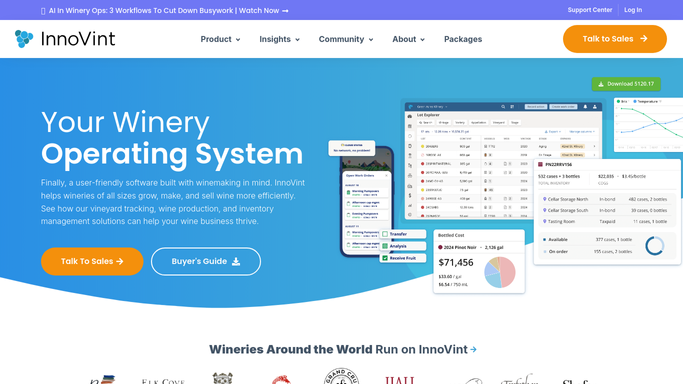
WebRun opens InnoVint to log each load's block, varietal, and weight. - Open InnoVint and go to the day's intake or crush pad log
- Capture the block, varietal, gross weight, and Brix for each load
- Note any load flagged for sorting or rejected fruit
Done when Every load intake logged today has been captured with its block and weight.
-
2
Google Sheets - total tonnage by block and varietal
google.com How to Automate Google Sheets

WebRun opens Google Sheets to total tonnage by block and varietal. - Open the harvest tracking sheet
- Add today's loads and total tonnage by block and by varietal
- Update the running season to date total
Done when Today's tonnage is totaled by block and varietal and the season total is current.
-
3
Slack - post the day's intake numbers
slack.com How to Automate Slack

WebRun opens Slack to post the day's intake numbers. - Post today's total tons picked and the season to date total to the harvest channel
- Break out the top 3 blocks by tonnage
- Flag any load that came in with a Brix or sorting note
Done when Your team has today's intake numbers in Slack before tomorrow's pick.
How is each run configured?
Secure by default
Connect once, stays signed in
WebRun signs in once and keeps each session in a persistent environment, so every run picks up right where it left off.
Every action is checked against this policy before it runs.
Questions, answered
Does it change any numbers already logged in InnoVint?
No. WebRun only reads what your crew already logged at intake. It never edits weights or Brix readings in InnoVint, it just totals and reports them.
What happens on a day with no picking?
It skips the report. WebRun only posts a tonnage summary on days with at least one load logged, so your Slack channel does not fill up with empty updates.
Can it track more than one vineyard or ranch?
Yes. It totals tonnage separately for every block in InnoVint, so multiple vineyards or ranches all show up broken out in the same nightly report.
Related templates
Put this on autopilot.
Turn it on in minutes - or have our team set it up for you.