Win back past clients who have gone quiet
Every Monday, WebRun opens The Customer Factor and finds clients who have not had a service in six or more months. It drafts a personalised winback email for each in Mailchimp and posts a Slack alert so your team can review and approve the campaign before any email reaches a lapsed customer.
- No credit card
- Under $0.01 per run
- Cancel anytime
How do I automatically win back lapsed window cleaning clients?
Every Monday, WebRun checks The Customer Factor for window cleaning clients who have not booked in six or more months. It drafts a personalised winback email campaign in Mailchimp and posts a Slack alert to your team. The campaign stays as a draft until your team reviews and approves it, then sends to re-engage lapsed clients.
- Lapsed clients are identified every Monday without manual list-pulling
- A personalised winback email is drafted and ready for one-click approval
- No email goes to a client until your team reviews and approves the campaign
Built for window cleaning companies · window cleaning business owners · residential window cleaners · recurring service operators
What does WebRun do on every run?
The exact actions WebRun takes, in order - in plain language, so you can adjust anything.
-
WebRun signs in and gets to work
Opens
www.thecustomerfactor.comin a real browser with your saved login - no setup, no API keys. -
1
The Customer Factor - find lapsed clients
thecustomerfactor.com
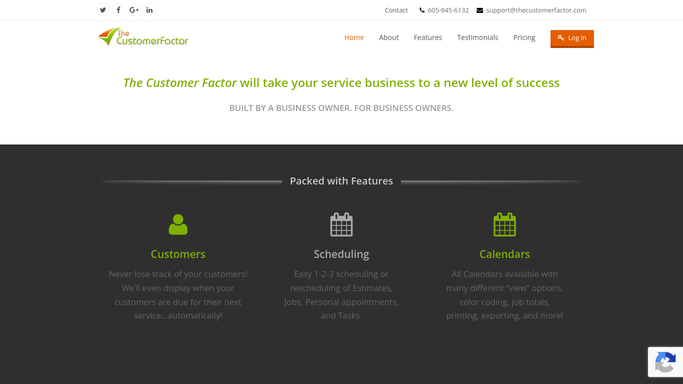
WebRun opens The Customer Factor to find lapsed clients. - Open The Customer Factor and filter clients by last service date
- Identify clients whose last completed job was six or more months ago
- Capture the client name, email address, last service date, and service history for each
Done when Every lapsed client with no booking in six or more months is listed with their contact details.
-
2
Mailchimp - draft winback email campaign
mailchimp.com How to Automate Mailchimp

WebRun opens Mailchimp to draft winback email campaign. - Open Mailchimp and create a draft campaign targeting the lapsed client list
- Write a warm, personal winback email referencing how long it has been and inviting the client to rebook
- Save the campaign as a draft and do not schedule or send it until your team has reviewed and approved
Done when A winback email campaign is saved as a Mailchimp draft targeting all lapsed clients.
-
3
Slack - alert team for review
slack.com How to Automate Slack

WebRun opens Slack to alert team for review. - Post a Slack alert naming the number of lapsed clients in this week's winback draft
- Include a summary of the email subject line and tone for quick review
- Note that the Mailchimp campaign will not send until your team approves and schedules it
Done when The team has a Slack alert with a summary of the winback draft and how many clients it targets.
How is each run configured?
Secure by default
Connect once, stays signed in
WebRun signs in once and keeps each session in a persistent environment, so every run picks up right where it left off.
Every action is checked against this policy before it runs.
Questions, answered
Will it send winback emails to clients without my approval?
No. The Mailchimp campaign is saved as a draft and held until your team reviews and schedules it. No email reaches a lapsed client until someone on your team gives the final approval.
How does it define a lapsed client?
Any client in The Customer Factor whose last completed service was six or more months ago. You can adjust the threshold to match your business, whether that is three months or a full year.
What does the winback email say?
A warm, personal note acknowledging the gap and inviting the client to rebook. You can supply your preferred tone, a discount offer, or a specific message, and WebRun will incorporate it consistently.
Related templates
Put this on autopilot.
Turn it on in minutes - or have our team set it up for you.