Get alerted when your Webull watchlist breaks out
Every 30 minutes during market hours, WebRun opens Webull, checks your watchlist against the price and volume thresholds you set, posts a breakout alert to Microsoft Teams, and adds a Trello research card for anything that triggers.
- No credit card
- Under $0.01 per run
- Cancel anytime
How do I get alerted when a stock on my Webull watchlist breaks out?
WebRun checks your Webull watchlist every 30 minutes during market hours, comparing each ticker's price and volume against the thresholds you set. It posts an alert to Microsoft Teams the moment a ticker breaks out and adds a Trello research card for it, so nothing you are watching slips past unresearched.
- Breakouts get flagged within 30 minutes instead of being noticed hours later
- A running Trello queue means no breakout goes unresearched
- Teams keeps a shared record the whole team can see
Built for active traders · Webull watchlist users · swing traders · retail investors
What does WebRun do on every run?
The exact actions WebRun takes, in order - in plain language, so you can adjust anything.
-
WebRun signs in and gets to work
Opens
www.webull.comin a real browser with your saved login - no setup, no API keys. -
1
Webull - check watchlist price and volume
webull.com
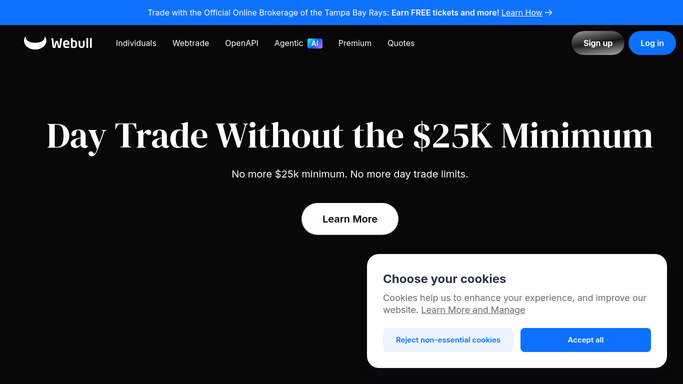
WebRun opens Webull to check watchlist price and volume. - Open Webull and load your saved watchlist
- Compare each ticker's price and volume against the thresholds you set
- Note which tickers crossed a threshold since the last check
Done when Every watchlisted ticker has been checked against its price and volume thresholds.
-
2
Microsoft Teams - post the breakout alert
microsoft.com How to Automate Microsoft Teams

WebRun opens Microsoft Teams to post the breakout alert. - Post an alert to your trading channel for every ticker that crossed a threshold
- Include the price, percent move, and volume compared to average
- Skip tickers that stayed inside their normal range
Done when Teams has an alert for every threshold crossed this check.
-
3
Trello - add a research card
trello.com How to Automate Trello

WebRun opens Trello to add a research card. - Add a card to the watchlist board for each ticker that triggered an alert
- Include the trigger price and the time it happened on the card
- Never place, cancel, or modify an order in Webull
Done when A Trello card exists for every ticker that broke out, ready for you to research.
How is each run configured?
Secure by default
Connect once, stays signed in
WebRun signs in once and keeps each session in a persistent environment, so every run picks up right where it left off.
Every action is checked against this policy before it runs.
Questions, answered
Will WebRun trade for me when a stock breaks out?
No. WebRun only monitors price and volume and reports what it sees. It never places, cancels, or modifies an order in Webull and never moves funds. Any trade stays a decision you make and place yourself.
What counts as a breakout?
You set the price and volume thresholds for each ticker when you set this up. Anything that crosses either threshold since the last check gets flagged.
Why add a Trello card instead of just the Teams alert?
The Teams alert is easy to miss in a busy channel, so a Trello card gives you a standing research queue you can work through even if you missed the original alert.
Related templates
Put this on autopilot.
Turn it on in minutes - or have our team set it up for you.