Catch ZATCA e-invoice rejections before they cost you
Every hour, WebRun opens Wafeq, checks the ZATCA clearance status on every e-invoice issued, logs any rejected or still pending ones to a tracking sheet, and messages your finance team on WhatsApp with what needs fixing before the reporting window closes.
- No credit card
- Under $0.01 per run
- Cancel anytime
How do I catch ZATCA e-invoice rejections before the deadline?
WebRun checks the ZATCA clearance status of every Wafeq e-invoice each hour, separates out anything rejected or still pending, and logs the customer, amount, and rejection reason to a tracking sheet. It then messages your finance team on WhatsApp with what needs fixing, so no rejected e-invoice sits unresolved until the reporting deadline.
- Rejected e-invoices get caught and flagged within the hour, not at month end
- Finance always has the rejection reason on hand before the resubmission deadline
- No e-invoice resubmission happens without a person reviewing it first
Built for Saudi businesses on ZATCA Phase 2 · finance and compliance teams · accounting firms serving KSA clients · retailers and distributors
What does WebRun do on every run?
The exact actions WebRun takes, in order - in plain language, so you can adjust anything.
-
WebRun signs in and gets to work
Opens
app.wafeq.com/invoicesin a real browser with your saved login - no setup, no API keys. -
1
Wafeq - check e-invoice ZATCA status
wafeq.com How to Automate Wafeq
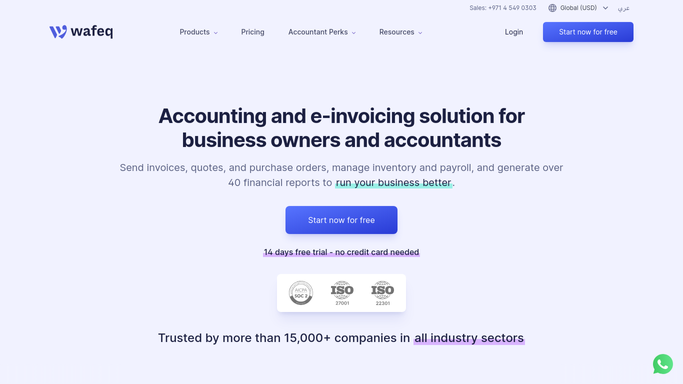
WebRun opens Wafeq to check e-invoice ZATCA status. - Open Wafeq and pull the ZATCA clearance status for every e-invoice issued this hour
- Separate invoices into cleared, pending, and rejected
- Capture the rejection reason ZATCA returned for each rejected invoice
Done when Every e-invoice this hour has a clearance status and, if rejected, a reason.
-
2
Google Sheets - log rejected and pending invoices
google.com How to Automate Google Sheets

WebRun opens Google Sheets to log rejected and pending invoices. - Log each rejected or pending invoice with its customer, amount, and rejection reason
- Mark invoices already flagged in a prior run as seen, so the list only shows what's new
- Keep a running column for whether it's been resolved
Done when The tracking sheet reflects every unresolved e-invoice with its reason.
-
3
WhatsApp - alert finance on what needs fixing
whatsapp.com How to Automate WhatsApp

WebRun opens WhatsApp to alert finance on what needs fixing. - Message the finance team group with the count of rejected and pending e-invoices
- List the customer, amount, and reason for each, oldest first
- Never resubmit anything to ZATCA. Flag it for a person to correct and resubmit through Wafeq
Done when Finance has this hour's rejection list in WhatsApp with nothing resubmitted automatically.
How is each run configured?
Secure by default
Connect once, stays signed in
WebRun signs in once and keeps each session in a persistent environment, so every run picks up right where it left off.
Every action is checked against this policy before it runs.
Questions, answered
Will WebRun resubmit rejected invoices to ZATCA on its own?
No. It only flags the rejection and the reason in WhatsApp and the tracking sheet. A person always fixes and resubmits the invoice through Wafeq.
How fast will I know an e-invoice was rejected?
Within the hour. WebRun checks Wafeq's ZATCA clearance status every hour during business hours and messages the finance group as soon as it finds a rejection.
Does it keep alerting me about the same invoice?
No. Once an invoice is logged, it's marked as seen, so later runs only surface what's new or still unresolved.
Related templates
Put this on autopilot.
Turn it on in minutes - or have our team set it up for you.