Restock the clinic before you run out
Every morning, WebRun opens Provet Cloud, finds items at or below their reorder point, drafts a purchase order grouped by vendor into a Google Sheet, leaves it unsent for the inventory lead to approve, and posts a Slack heads-up listing what is running low.
- No credit card
- Under $0.01 per run
- Cancel anytime
How do I automatically draft a veterinary supply reorder?
Every morning, WebRun opens Provet Cloud, checks the inventory view, and finds supplies and medications at or below their reorder point. It drafts a purchase order grouped by vendor into a Google Sheet with suggested quantities, leaves it unsent for the inventory lead to approve, and posts a Slack heads-up of what is running low.
- Low stock is caught every morning before it runs out
- The reorder is drafted by vendor, so the lead just reviews and approves
- Fewer stockouts of key meds and supplies without manual counts
Built for veterinary clinics · animal hospitals · inventory leads · practice managers
What does WebRun do on every run?
The exact actions WebRun takes, in order - in plain language, so you can adjust anything.
-
WebRun signs in and gets to work
Opens
provet.cloudin a real browser with your saved login - no setup, no API keys. -
1
Provet Cloud - find low-stock items
provet.cloud
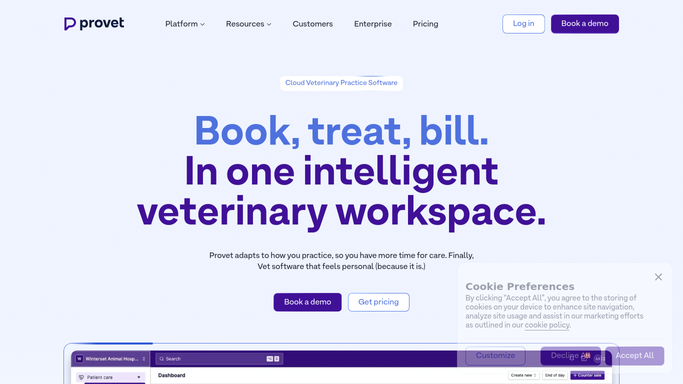
WebRun opens Provet Cloud to find items below their reorder point. - Open Provet Cloud and go to the inventory or stock view
- Find supplies and medications at or below their reorder point
- Capture each item: name, vendor, units on hand, and reorder quantity
Done when Every item below its reorder point has been listed with its vendor and reorder quantity.
-
2
Google Sheets - draft the purchase order
google.com How to Automate Google Sheets

WebRun drafts the reorder as a purchase order grouped by vendor. - Draft a purchase order in the sheet, grouping items by vendor
- Fill in suggested reorder quantities, units on hand, and last cost
- Leave the draft order unsent for the inventory lead to review and approve
Done when A draft purchase order, grouped by vendor, is ready in the sheet for approval.
-
3
Slack - flag what is running low
slack.com How to Automate Slack

WebRun posts the day's low-stock heads-up to Slack. - Post the team a short list of items running low and which vendors they are from
- Flag anything critical that is nearly out of stock
- Note that a draft purchase order is waiting in the sheet for approval
Done when The inventory lead has today's low-stock heads-up in Slack.
How is each run configured?
Secure by default
Connect once, stays signed in
WebRun signs in once and keeps each session in a persistent environment, so every run picks up right where it left off.
Every action is checked against this policy before it runs.
Questions, answered
Will it place orders with vendors on its own?
No. WebRun only drafts the purchase order into a Google Sheet and leaves it unsent. The inventory lead reviews quantities and approves before any order is placed, so nothing is bought without a person signing off.
How does it know what to reorder?
It reads the inventory view in Provet Cloud and flags supplies and medications at or below their reorder point, capturing units on hand, the vendor, and a suggested reorder quantity for each so the draft order is ready to check.
Can it group the order by supplier?
Yes. The draft purchase order is grouped by vendor with quantities and last cost, so the inventory lead can review each supplier's order in one place and approve or adjust before sending it.
Related templates
Put this on autopilot.
Turn it on in minutes - or have our team set it up for you.