Send pets home with clear aftercare
Every night, WebRun opens Provet Cloud, finds patients discharged that day, drafts personalised post-op and aftercare instructions for each owner in Gmail, leaves every draft unsent for the DVM, and posts the team a Slack list of discharges still awaiting their care note.
- No credit card
- Under $0.01 per run
- Cancel anytime
How do I send pet post-op discharge instructions to owners automatically?
Every night, WebRun opens Provet Cloud, finds patients discharged that day, and reads each procedure, medication list, and discharge note. It drafts clear aftercare instructions for each owner in Gmail covering meds, activity, and warning signs, leaves the drafts unsent for the DVM to review, and posts the team a Slack discharge list.
- Every discharged pet goes home with clear, drafted aftercare
- The DVM reviews each note instead of writing it from scratch
- Owners get consistent post-op guidance the same evening
Built for veterinary clinics · animal hospitals · surgical vet practices · DVMs
What does WebRun do on every run?
The exact actions WebRun takes, in order - in plain language, so you can adjust anything.
-
WebRun signs in and gets to work
Opens
provet.cloudin a real browser with your saved login - no setup, no API keys. -
1
Provet Cloud - find today's discharges
provet.cloud
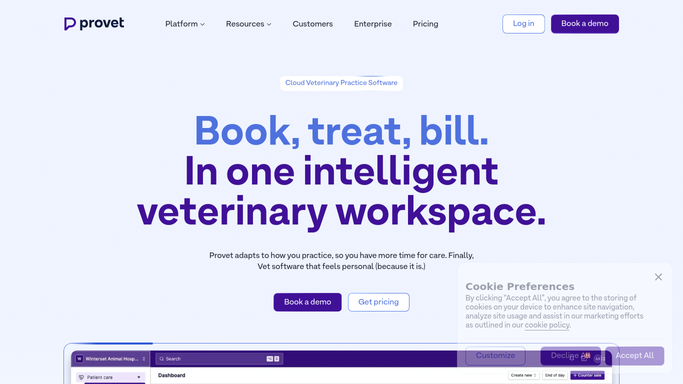
WebRun opens Provet Cloud to review the day's discharges. - Open Provet Cloud and view patients discharged today
- Read each patient's procedure, medications, and the clinical discharge notes
- Capture the patient, owner, procedure, and any meds or follow-up due
Done when Every patient discharged today has been captured with its procedure and medications.
-
2
Gmail - draft aftercare instructions
gmail.com How to Automate Gmail

WebRun drafts post-op instructions for each owner and leaves them unsent. - Draft clear aftercare instructions for each owner covering meds, activity, feeding, and warning signs
- Name the pet and the procedure, and note when to call or return
- Save each message as a draft and leave it unsent for the DVM to review
Done when An aftercare instruction draft is ready in Gmail for every discharge.
-
3
Slack - list discharges to review
slack.com How to Automate Slack

WebRun posts the day's discharge review list to Slack. - Post the team a short list of today's discharges with care notes drafted
- Flag any pet on medication or needing a recheck soon
- Note that drafts are waiting in Gmail for the DVM to review
Done when The team has today's discharge review list in Slack.
How is each run configured?
Secure by default
Connect once, stays signed in
WebRun signs in once and keeps each session in a persistent environment, so every run picks up right where it left off.
Every action is checked against this policy before it runs.
Questions, answered
Will it send medical instructions to owners on its own?
No. WebRun drafts each aftercare note in Gmail and leaves it unsent. The DVM reviews every instruction for clinical accuracy before sending, so nothing reaches an owner without a vet approving it.
Where do the instructions come from?
It reads each patient's procedure, medications, and discharge notes in Provet Cloud, then drafts owner-friendly aftercare covering meds, activity, feeding, and warning signs. The DVM checks and edits before anything goes out.
Can it match how we word things?
Yes. Give WebRun a sample discharge sheet and it drafts each note in your clinic's voice, naming the pet and procedure and keeping your standard warnings and recheck guidance.
Related templates
Put this on autopilot.
Turn it on in minutes - or have our team set it up for you.