Catch stale Twist threads before they get forgotten
Every morning, WebRun checks Twist for threads waiting on a reply for more than 24 hours, creates a Trello card assigned to the thread owner, and posts a summary to Microsoft Teams so stale threads get visible attention instead of sitting quietly.
- No credit card
- Under $0.01 per run
- Cancel anytime
How do I catch stale Twist threads before they get forgotten?
WebRun checks Twist every morning for threads waiting on a reply for more than 24 hours, creates a Trello card assigned to the thread owner, and posts a summary to Microsoft Teams. Threads built for async conversation still get chased when they go quiet too long, without turning Twist into a real-time chat tool.
- Stale threads get an assigned Trello card within a day
- The whole team has visibility, not just the thread owner
- Async conversations stay async, WebRun does not chat on its own
Built for Remote teams · Async-first companies · Product teams · Distributed teams
What does WebRun do on every run?
The exact actions WebRun takes, in order - in plain language, so you can adjust anything.
-
WebRun signs in and gets to work
Opens
twist.com/loginin a real browser with your saved login - no setup, no API keys. -
1
Twist - find threads awaiting reply
twist.com
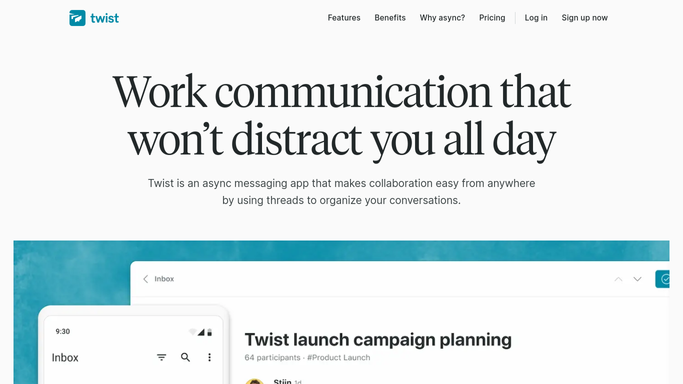
WebRun opens Twist to find threads awaiting reply. - Open Twist and review open threads
- Find any thread with no reply for more than 24 hours
- Note the thread owner and topic
Done when Every thread waiting over 24 hours is identified.
-
2
Trello - create an assigned card
trello.com How to Automate Trello

WebRun opens Trello to create an assigned card. - Open the follow-up board
- Create a card for each stale thread with a link back to Twist
- Assign the card to the thread owner
Done when A Trello card exists for every stale thread, assigned to an owner.
-
3
Microsoft Teams - post the visibility summary
microsoft.com How to Automate Microsoft Teams

WebRun opens Microsoft Teams to post the visibility summary. - Open the team channel
- Post a summary listing each stale thread and its owner
- Link to the Trello card and the original Twist thread
Done when The team has visibility on every stale thread.
How is each run configured?
Secure by default
Connect once, stays signed in
WebRun signs in once and keeps each session in a persistent environment, so every run picks up right where it left off.
Every action is checked against this policy before it runs.
Questions, answered
Does WebRun reply to the thread itself?
No. It only creates a Trello card and flags the thread. The actual reply in Twist is still written by the owner.
How does it pick a thread owner?
It uses whoever the thread is already assigned to or last responsible for in Twist, so the Trello card lands with the right person.
What counts as stale?
Any thread with no reply for more than 24 hours, which fits how Twist is designed for asynchronous, lower-noise conversations.
Related templates
Put this on autopilot.
Turn it on in minutes - or have our team set it up for you.