Get a weekly TrueConf room utilization scorecard
Every Monday, WebRun opens TrueConf, compiles how many meetings each room hosted and total hours used for the past week, updates the room utilization card on the facilities Trello board, and posts the scorecard to Microsoft Teams so underused rooms are visible before the next license renewal.
- No credit card
- Under $0.01 per run
- Cancel anytime
How do I track weekly TrueConf room utilization?
WebRun compiles how many meetings and hours each TrueConf room hosted every Monday, updates the utilization card on the facilities Trello board, and posts the ranked scorecard to Microsoft Teams, so an underused room is visible before the next license renewal instead of after it.
- Room utilization is compiled every Monday without a manual pull
- Underused rooms are called out before a license renewal
- A running utilization history builds up on the Trello board
Built for facilities teams · IT admins · office managers · operations leads
What does WebRun do on every run?
The exact actions WebRun takes, in order - in plain language, so you can adjust anything.
-
WebRun signs in and gets to work
Opens
trueconf.comin a real browser with your saved login - no setup, no API keys. -
1
TrueConf - compile room utilization
trueconf.com
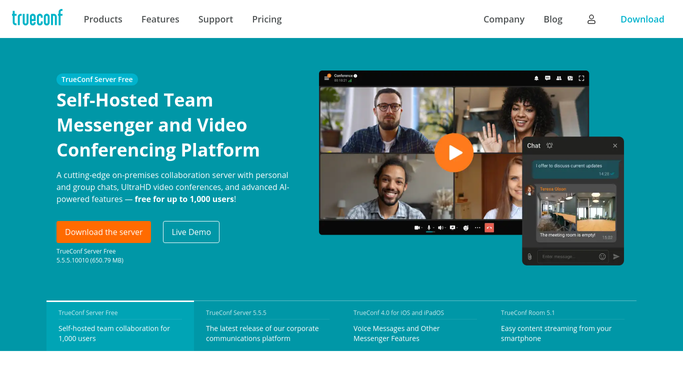
WebRun opens TrueConf to compile room utilization. - Open TrueConf reporting for the last 7 days
- Pull meetings hosted and hours used by room
- Rank rooms from most to least used
Done when Last week's room utilization is compiled and ranked.
-
2
Trello - update the utilization card
trello.com How to Automate Trello

WebRun opens Trello to update the utilization card. - Open the room utilization card on the facilities board
- Update it with this week's ranking
- Flag any room with little to no use
Done when The Trello card reflects this week's room utilization ranking.
-
3
Microsoft Teams - post the scorecard
microsoft.com How to Automate Microsoft Teams

WebRun opens Microsoft Teams to post the scorecard. - Post the utilization ranking to the facilities channel in Teams
- Call out any underused room
- Link to the Trello card for detail
Done when The team has this week's room utilization scorecard in Teams.
How is each run configured?
Secure by default
Connect once, stays signed in
WebRun signs in once and keeps each session in a persistent environment, so every run picks up right where it left off.
Every action is checked against this policy before it runs.
Questions, answered
Does WebRun close or reassign underused rooms?
No. It only compiles usage data from TrueConf into a ranked scorecard. Any decision about a room is made by your facilities team.
What counts as underused?
A room with meaningfully fewer meetings or hours than the others that week, called out directly rather than left for someone to notice in a long list.
Can I see more than the latest week?
Yes, the Trello card keeps a running history as it updates each week, so a pattern of low use is visible over time, not just once.
Related templates
Put this on autopilot.
Turn it on in minutes - or have our team set it up for you.