Send the tax director a documentation status digest
Every Monday, WebRun opens Exactera, reads the preparation status of every local file, master file, and benchmarking study, and posts the tax director a Slack digest grouping what is filed, in draft, or outstanding, with the nearest deadlines called out.
- No credit card
- Under $0.01 per run
- Cancel anytime
How do I get a weekly transfer pricing documentation status report?
WebRun gives your tax director a weekly compliance snapshot. Every Monday it reads the status of every local file, master file, and benchmarking study in Exactera, then posts a Slack digest grouping items as filed, in draft, or outstanding with the nearest deadlines up top, so leadership sees where documentation stands without chasing it.
- Documentation status lands weekly, not on request
- At-risk items surface at the top of the digest
- Leadership sees filed, drafted, and outstanding counts at a glance
Built for tax directors · transfer pricing managers · multinational tax teams · heads of tax
What does WebRun do on every run?
The exact actions WebRun takes, in order - in plain language, so you can adjust anything.
-
WebRun signs in and gets to work
Opens
app.exactera.comin a real browser with your saved login - no setup, no API keys. -
1
Exactera - read documentation status
exactera.com How to Automate Exactera
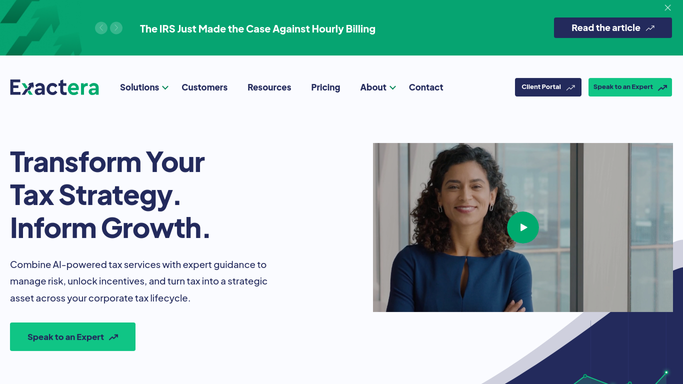
WebRun opens Exactera to read documentation status. - Open Exactera and read the status of each local file, master file, and study
- Capture whether each is filed, in draft, or not started
- Note the next statutory deadline for each item
Done when Every documentation item has a current status and next deadline.
-
2
Slack - post the status digest
slack.com How to Automate Slack

WebRun opens Slack to post the status digest. - Post a digest to the tax director grouped by filed, in draft, and outstanding
- Show a count per group and the nearest deadlines up top
- Call out any item slipping behind its plan
- Leave it as an internal weekly summary
Done when The tax director has this week's documentation status digest in Slack.
How is each run configured?
Secure by default
Connect once, stays signed in
WebRun signs in once and keeps each session in a persistent environment, so every run picks up right where it left off.
Every action is checked against this policy before it runs.
Questions, answered
Is the digest sent outside the company?
No. WebRun posts the digest to an internal Slack channel for the tax director. It reads status from Exactera and shares nothing beyond your own team.
What does the digest actually show?
It groups every local file, master file, and study by filed, in draft, or outstanding, gives a count per group, and lists the nearest deadlines, so the tax director sees the whole compliance picture at a glance.
Can it flag items that are falling behind?
Yes. Any item whose deadline is near while it is still not started or in draft is called out at the top of the digest, so at-risk documentation gets attention first.
Related templates
Put this on autopilot.
Turn it on in minutes - or have our team set it up for you.