Gather entity financials for your benchmarking set
Once a month, WebRun opens NetSuite, pulls each tested entity's trial balance and segmented P and L, files the figures in Exactera against the matching benchmarking study, and saves a dated working copy to SharePoint for the file.
- No credit card
- Under $0.01 per run
- Cancel anytime
How do I collect entity financials for a transfer pricing benchmarking set?
WebRun assembles your benchmarking inputs each month. It opens NetSuite, pulls each tested entity's segmented revenue, costs, and operating profit, enters them into the matching Exactera study to recompute the profit level indicator, and saves a dated working copy to SharePoint, so every study holds current tested party data.
- Tested party data is refreshed monthly, not scrambled at year end
- Every study recomputes its profit level indicator on current figures
- A dated working copy is filed for every entity
Built for transfer pricing analysts · multinational tax teams · corporate controllers · tax provision teams
What does WebRun do on every run?
The exact actions WebRun takes, in order - in plain language, so you can adjust anything.
-
WebRun signs in and gets to work
Opens
system.netsuite.comin a real browser with your saved login - no setup, no API keys. -
1
NetSuite - pull entity financials
netsuite.com How to Automate NetSuite

WebRun opens NetSuite to pull each entity's financials. - Open NetSuite and run the P and L and trial balance for each tested entity
- Capture revenue, operating costs, and operating profit by segment
- Note the reporting currency and period for each entity
Done when Every tested entity has its segmented financials captured for the period.
-
2
Exactera - attach to the benchmarking study
exactera.com How to Automate Exactera
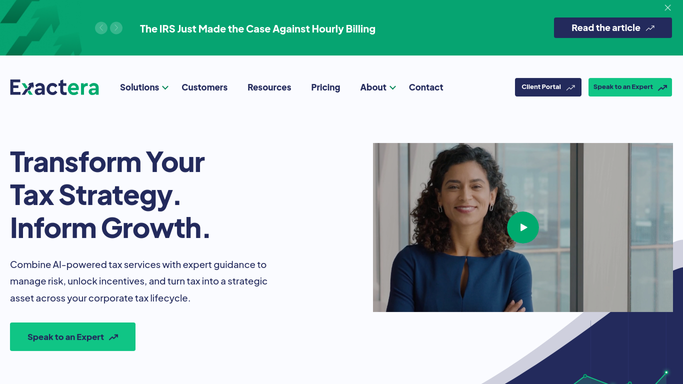
WebRun opens Exactera to attach financials to each study. - Open Exactera and find the benchmarking study for each tested party
- Enter the segmented financials as the tested party data
- Recompute the profit level indicator against the comparable set
Done when Each benchmarking study holds current tested party financials.
-
3
SharePoint - save a working copy
sharepoint.com
WebRun opens SharePoint to save a dated working copy. - Save a dated working copy of the figures to the transfer pricing SharePoint folder
- Name each file by entity and period
- Keep the prior month's copy so the history stays intact
Done when A dated working copy sits in SharePoint for every tested entity.
How is each run configured?
Secure by default
Connect once, stays signed in
WebRun signs in once and keeps each session in a persistent environment, so every run picks up right where it left off.
Every action is checked against this policy before it runs.
Questions, answered
Does it send anything outside the company?
No. WebRun reads NetSuite, writes into your Exactera studies, and saves a copy to your internal SharePoint. Nothing is emailed or filed with any tax authority.
Which entities does it collect?
Only the tested entities you list. WebRun matches each one to its benchmarking study in Exactera and leaves entities outside the scope untouched.
What if an entity's financials are not final yet?
It saves the figures as a dated working copy and labels the period, so a draft month is clearly marked and can be refreshed once the numbers close.
Related templates
Put this on autopilot.
Turn it on in minutes - or have our team set it up for you.