Get reminded when a comparable set is due to refresh
Every Monday, WebRun opens Exactera, checks how old each benchmarking study's comparable set is against your refresh policy, and posts a Slack list of the comp sets due for a full search or a financial update, soonest first.
- No credit card
- Under $0.01 per run
- Cancel anytime
How do I know when a transfer pricing benchmarking comparable set is due to refresh?
WebRun keeps your benchmarking studies from going stale. Every Monday it reads each Exactera study's last search date, compares it to your refresh policy such as a full search every three years, and posts a Slack list of the comparable sets now due for a search or a financial update, most overdue first, so refreshes happen on time.
- Comparable sets refresh on cycle, not by accident
- The most overdue studies surface first each week
- Per-study refresh rules are respected
Built for transfer pricing analysts · multinational tax teams · transfer pricing managers · tax compliance leads
What does WebRun do on every run?
The exact actions WebRun takes, in order - in plain language, so you can adjust anything.
-
WebRun signs in and gets to work
Opens
app.exactera.comin a real browser with your saved login - no setup, no API keys. -
1
Exactera - check comparable set age
exactera.com How to Automate Exactera
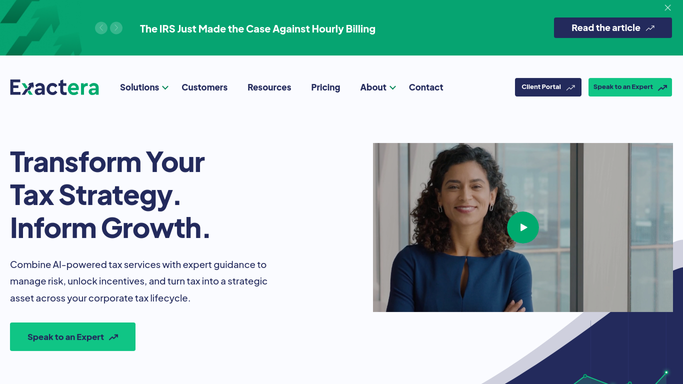
WebRun opens Exactera to check each comparable set's age. - Open Exactera and list each benchmarking study with its last search date
- Capture the tested party, method, and when the comparable set was last refreshed
- Compare each against your refresh policy, for example a full search every three years
Done when Every study is checked against the refresh policy.
-
2
Slack - post the refresh schedule
slack.com How to Automate Slack

WebRun opens Slack to post the refresh schedule. - Post a list of comp sets due for a full search or a financial update
- Show the tested party and how overdue or upcoming each is
- Put the most overdue at the top
- Leave it as an internal note for the tax team
Done when The team has this week's refresh schedule in Slack.
How is each run configured?
Secure by default
Connect once, stays signed in
WebRun signs in once and keeps each session in a persistent environment, so every run picks up right where it left off.
Every action is checked against this policy before it runs.
Questions, answered
Will it run a new benchmarking search on its own?
No. WebRun only reads each study's age and posts a Slack reminder. Running a fresh comparable search stays a human decision, since it drives your arm's length range.
How does it decide a comp set is due?
It compares each study's last search date in Exactera to your refresh policy, for example a full search every three years with financial updates in between, and lists what has passed that threshold.
Can I set a different refresh cycle per study?
Yes. Tell WebRun the cycle you want for each tested party and it applies that rule, so studies with tighter requirements are flagged on their own schedule.
Related templates
Put this on autopilot.
Turn it on in minutes - or have our team set it up for you.