Stop trailer warranties from lapsing unregistered
Every Monday, WebRun opens Sales & Finance in EverLogic, checks units sold in the last 30 days against their warranty registration status, logs unregistered units to a tracking sheet sorted by urgency, and drafts a reminder text in Twilio for each customer for the warranty admin to review before sending.
- No credit card
- Under $0.01 per run
- Cancel anytime
How do I make sure every sold trailer gets its warranty registered?
Every Monday, WebRun checks EverLogic for trailers sold in the last 30 days with no warranty registration on file, logs the list to a tracking sheet sorted by urgency, and drafts a registration reminder text per customer in Twilio. The warranty admin reviews and sends each draft, so no unit's manufacturer warranty lapses unregistered.
- No sold unit's warranty lapses from a missed registration deadline
- Customers inside their final 7 days get flagged as top priority
- Every reminder is reviewed before it reaches a customer
Built for warranty administrators · trailer dealership sales teams · service managers
What does WebRun do on every run?
The exact actions WebRun takes, in order - in plain language, so you can adjust anything.
-
WebRun signs in and gets to work
Opens
apps.everlogic.comin a real browser with your saved login - no setup, no API keys. -
1
EverLogic - find unregistered sold units
everlogic.com How to Automate EverLogic
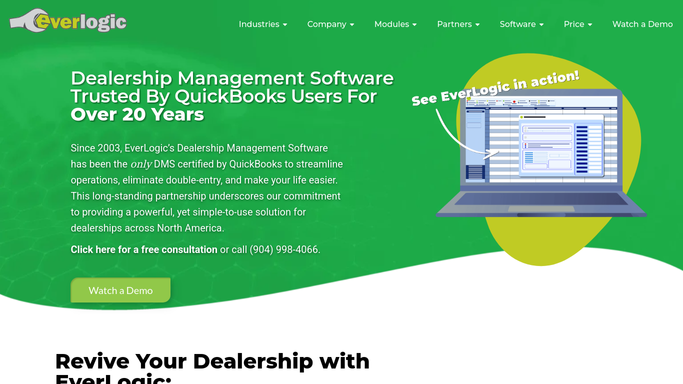
WebRun opens EverLogic to find unregistered sold units. - Open Sales & Finance in EverLogic and filter units sold in the last 30 days
- Check each sold unit against its warranty registration status
- Note the customer, unit, sale date, and days remaining in the registration window
Done when Every sold unit without a logged warranty registration is listed with its days remaining.
-
2
Google Sheets - log the registration tracking list
google.com How to Automate Google Sheets

WebRun opens Google Sheets to log the registration tracking list. - Append each unregistered unit to the warranty tracking sheet
- Sort by days remaining in the registration window, most urgent first
- Mark any unit inside its final 7 days in a separate urgency column
Done when The tracking sheet reflects this week's full unregistered list sorted by urgency.
-
3
Twilio - draft a registration reminder text
twilio.com How to Automate Twilio

WebRun opens Twilio to draft a registration reminder text. - Draft a short reminder text to each customer with the registration steps and their unit's VIN
- Prioritize customers inside their final 7 days
- Leave every text unsent for the warranty admin to review and send. Do not text the customer automatically
Done when A registration reminder draft exists for every unregistered unit, waiting on the warranty admin.
How is each run configured?
Secure by default
Connect once, stays signed in
WebRun signs in once and keeps each session in a persistent environment, so every run picks up right where it left off.
Every action is checked against this policy before it runs.
Questions, answered
Will it text customers about warranty registration on its own?
No. Every reminder text is drafted in Twilio and held for your warranty admin to review and send. WebRun never contacts a customer without that approval.
How does it know a unit still needs registration?
It reads the warranty registration status EverLogic already tracks on each sold unit, so anything already registered drops off the list automatically the next Monday.
What happens to units past their registration window?
They stay on the list flagged as past due so the warranty admin can decide whether to contact the manufacturer directly, rather than disappearing silently.
Related templates
Put this on autopilot.
Turn it on in minutes - or have our team set it up for you.