Follow up with graduates for job placement records
Every Monday, WebRun opens CoreCampus, finds graduates approaching their placement-verification window, drafts a friendly follow-up email asking about their employment status and employer, and logs each response into the career services placement tracker in Google Sheets.
- No credit card
- Under $0.01 per run
- Cancel anytime
How do I follow up with graduates to verify job placement records?
WebRun reviews CoreCampus every Monday for recent graduates approaching their placement-verification window and drafts a friendly follow-up email asking about their job title and employer. It leaves each draft in Gmail for career services to send, then logs every reply into a Google Sheets tracker, so the program's placement rate stays current and accreditation records stay verifiable.
- Placement rate stays current instead of going stale between audits
- Career services opens Gmail to a ready-to-send follow-up, not a blank message
- Every graduate gets chased weekly until their status is verified
Built for career services coordinators · trade school registrars · vocational school administrators · proprietary school compliance officers
What does WebRun do on every run?
The exact actions WebRun takes, in order - in plain language, so you can adjust anything.
-
WebRun signs in and gets to work
Opens
www.corecampus.comin a real browser with your saved login - no setup, no API keys. -
1
CoreCampus - find graduates due for a placement check-in
corecampus.com How to Automate CoreCampus
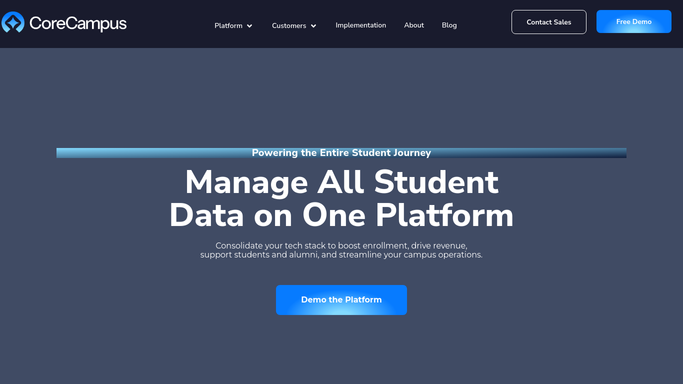
WebRun opens CoreCampus to find graduates due for a placement check-in. - Open CoreCampus and list graduates from the last 6 months without a verified placement record
- Note their graduation date, program, and the days remaining in the placement window
- Prioritize anyone closest to the deadline
Done when Every graduate due for a placement check-in is listed with their deadline.
-
2
Gmail - draft a follow-up email to each graduate
gmail.com How to Automate Gmail

WebRun opens Gmail to draft a follow-up email to each graduate. - Draft a short, friendly email to each graduate asking about their current job title and employer
- Ask for a starting date if they're now employed in the field
- Leave every draft in Gmail for career services to review and send
Done when A draft follow-up email is ready for every graduate on the list.
-
3
Google Sheets - log placement status for career services
google.com How to Automate Google Sheets

WebRun opens Google Sheets to log placement status for career services. - Log each graduate's follow-up status in the placement tracker: sent, replied, or verified
- Record the employer and start date once a reply confirms placement
- Recalculate the program's running placement rate
Done when The placement tracker reflects this week's follow-ups and the current placement rate.
How is each run configured?
Secure by default
Connect once, stays signed in
WebRun signs in once and keeps each session in a persistent environment, so every run picks up right where it left off.
Every action is checked against this policy before it runs.
Questions, answered
Will it email graduates without anyone checking first?
No. WebRun only drafts the follow-up in Gmail and leaves it for career services to review and send. It never contacts a graduate directly.
Why does it need to track this?
Placement rate is reported for accreditation and gainful employment disclosures, so every graduate needs a documented, current employment status, not a guess.
What happens if a graduate never replies?
They stay on the tracker as pending and get picked up again the following Monday until a reply is logged or the placement window closes.
Related templates
Put this on autopilot.
Turn it on in minutes - or have our team set it up for you.