Draft your Gainful Employment disclosure report
On demand, WebRun opens CoreCampus, pulls each program's completion rate, total cost, and verified placement data, compiles it into the Gainful Employment disclosure worksheet in Google Sheets, and saves the packet to Google Drive for the compliance officer to review before anything is filed.
- No credit card
- Under $0.01 per run
- Cancel anytime
How do I draft my Gainful Employment disclosure data without building the worksheet by hand?
WebRun pulls each program's completion rate, cost, and verified placement data from CoreCampus and compiles it into the Gainful Employment disclosure worksheet in Google Sheets. It flags any out-of-range figure and saves the draft packet to Google Drive, so the compliance officer reviews a filled-in worksheet instead of building one by hand, and nothing is ever filed automatically.
- The compliance officer reviews a filled-in worksheet instead of building one by hand
- Out-of-range figures get flagged before the draft is finalized
- Nothing is ever filed with the Department of Education automatically
Built for compliance officers · trade school administrators · proprietary school directors · career college accreditation staff
What does WebRun do on every run?
The exact actions WebRun takes, in order - in plain language, so you can adjust anything.
-
WebRun signs in and gets to work
Opens
www.corecampus.comin a real browser with your saved login - no setup, no API keys. -
1
CoreCampus - pull completion, cost, and placement data
corecampus.com How to Automate CoreCampus
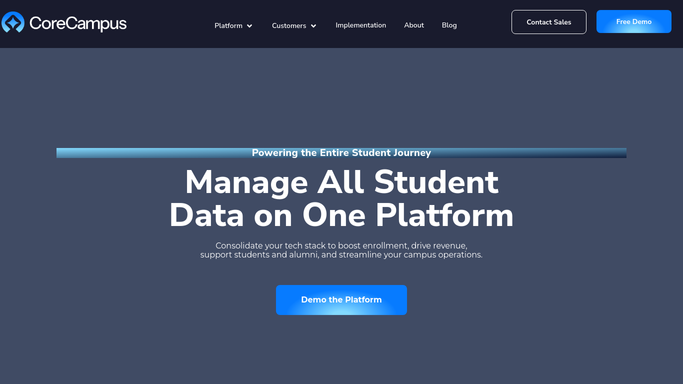
WebRun opens CoreCampus to pull completion, cost, and placement data. - Open CoreCampus and pull each program's completion rate, total tuition and fees, and verified placement rate for the award year
- Cross-check the numbers against the enrolled cohort for that period
- Note any program with incomplete or unverified data
Done when Every reportable program has its completion, cost, and placement figures pulled.
-
2
Google Sheets - compile the disclosure worksheet
google.com How to Automate Google Sheets

WebRun opens Google Sheets to compile the disclosure worksheet. - Fill the figures into the Gainful Employment disclosure worksheet, one row per program
- Flag any program with a figure that looks out of range compared to last year
- Leave the worksheet marked as a draft pending compliance review
Done when The disclosure worksheet is filled in for every program and marked draft.
-
3
Google Drive - archive the packet for review
drive.google.com How to Automate Google Drive

WebRun opens Google Drive to archive the packet for review. - Save the completed worksheet and its supporting data into the compliance folder
- Name the file with the award year for the audit trail
- Never submit anything to the Department of Education. This step only archives the draft for a person to file
Done when The draft disclosure packet is saved in Drive, waiting for the compliance officer.
How is each run configured?
Secure by default
Connect once, stays signed in
WebRun signs in once and keeps each session in a persistent environment, so every run picks up right where it left off.
Every action is checked against this policy before it runs.
Questions, answered
Will it file the report with the Department of Education?
No. WebRun only compiles the draft worksheet and saves it to Drive. Filing is a compliance action a person has to review and submit directly.
How does it pull the completion and placement figures?
It reads the completion rate, program cost, and verified placement data straight from CoreCampus for the award year you specify, so the worksheet reflects your actual records.
What if a figure looks wrong?
It flags any program whose number looks out of range against last year's disclosure, so the compliance officer can double check before the draft is finalized.
Related templates
Put this on autopilot.
Turn it on in minutes - or have our team set it up for you.