Keep your tow trucks on the road with proactive maintenance alerts
Every Monday, WebRun checks your truck maintenance tracker in Google Sheets against mileage and date records from Towbook, flags any unit within 500 miles or 14 days of a service interval, and posts an alert to your fleet Slack channel so maintenance is scheduled before a breakdown.
- No credit card
- Under $0.01 per run
- Cancel anytime
How do I get automatic maintenance alerts for my tow truck fleet?
Every Monday, WebRun pulls current mileage from Towbook for each truck, compares it against service intervals in a Google Sheet maintenance tracker, and posts a Slack alert listing units due for service within 500 miles or 14 days. Fleet managers act before a breakdown, not after.
- Service due alerts reach the fleet manager 14 days or 500 miles before the interval
- No truck goes past its service interval without a warning
- Full maintenance history visible in a single Google Sheet
Built for towing companies · tow fleet managers · roadside assistance operators · towing owner-operators
What does WebRun do on every run?
The exact actions WebRun takes, in order - in plain language, so you can adjust anything.
-
WebRun signs in and gets to work
Opens
app.towbook.comin a real browser with your saved login - no setup, no API keys. -
1
Towbook - pull current mileage per truck
towbook.com How to Automate Towbook
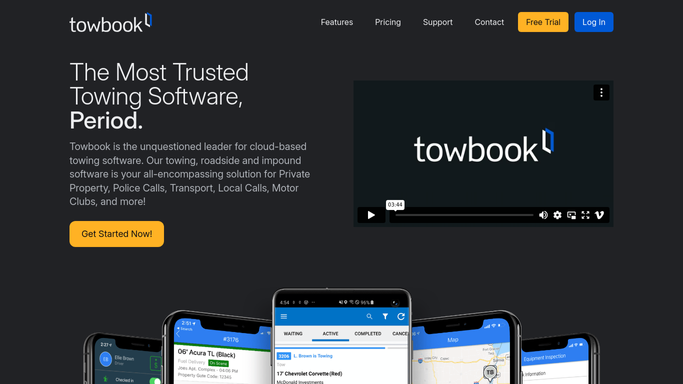
WebRun opens Towbook to pull current mileage per truck. - Open Towbook and navigate to the vehicle or equipment list
- Capture the current mileage and last service date for each truck
- Note units that were dispatched heavily in the past week
Done when Current mileage and last service date are captured for every truck in the fleet.
-
2
Google Sheets - compare against maintenance intervals
google.com How to Automate Google Sheets

WebRun opens Google Sheets to compare against maintenance intervals. - Open the equipment maintenance tracker sheet
- Update each truck row with current mileage from Towbook
- Calculate miles or days remaining until the next oil change, tire rotation, or inspection for each unit
- Highlight units within 500 miles or 14 days of their next service interval
Done when The maintenance tracker is updated and units approaching service are highlighted.
-
3
Slack - alert fleet manager to due services
slack.com How to Automate Slack

WebRun opens Slack to alert fleet manager to due services. - Post the weekly maintenance alert to the fleet Slack channel
- List trucks due for service, sorted by urgency
- Include current mileage, service type due, and miles or days remaining for each unit
- Include a link to the full maintenance tracker sheet
Done when The fleet manager has this week's maintenance alert in Slack.
How is each run configured?
Secure by default
Connect once, stays signed in
WebRun signs in once and keeps each session in a persistent environment, so every run picks up right where it left off.
Every action is checked against this policy before it runs.
Questions, answered
Does it schedule service appointments automatically?
No. WebRun flags approaching service intervals and posts an alert. Your fleet manager reviews the list and schedules service directly with your shop.
How do I set service intervals for each truck?
You enter each truck's service intervals once in the Google Sheet: miles between oil changes, days between inspections, and so on. WebRun reads those thresholds each week.
What if Towbook does not track mileage?
You can log current mileage manually in the Google Sheet instead. WebRun will use that as its source and still calculate the interval gap and post the alert.
Related templates
Put this on autopilot.
Turn it on in minutes - or have our team set it up for you.