Brief the bay team on kosher wash prerequisites before each cycle starts
Every few minutes, WebRun checks TankSoft Pro for kosher wash jobs about to start, reads the prior commodity and the kosher procedure on each, works out the prerequisite steps such as hot-water flush, idle time, and rabbinical requirements, and posts the bay team a pre-wash checklist in Slack so nothing is missed.
- No credit card
- Under $0.01 per run
- Cancel anytime
How do I make sure the bay team follows kosher wash prerequisites?
WebRun checks TankSoft Pro every few minutes for kosher wash jobs about to start and reads the prior commodity and specified procedure for each. It assembles the required prerequisite steps, hot-water flush, idle time, temperature, and sign-off, and posts the bay team an ordered pre-wash checklist in Slack, so kosher requirements are met before each cycle begins.
- The bay team gets kosher prerequisites before every cycle starts
- Missing prior commodity or idle time is flagged before the wash begins
- Kosher steps are listed in the correct order, not recalled from memory
Built for tank wash operators · kosher cleaning facilities · wash-bay supervisors · food-grade tanker stations
What does WebRun do on every run?
The exact actions WebRun takes, in order - in plain language, so you can adjust anything.
-
WebRun signs in and gets to work
Opens
tanksoftpro.comin a real browser with your saved login - no setup, no API keys. -
1
TankSoft Pro - read upcoming kosher wash jobs
tanksoftpro.com How to Automate TankSoft Pro
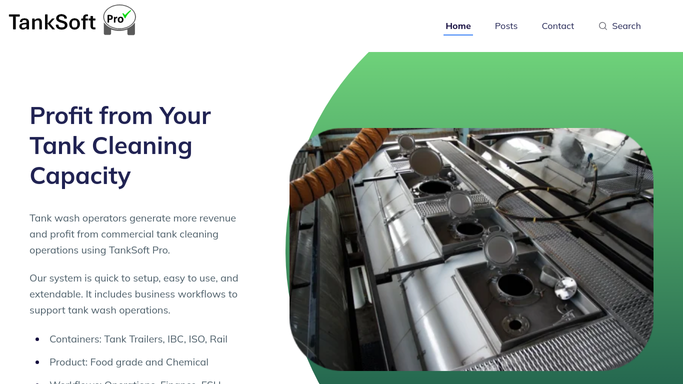
WebRun opens TankSoft Pro to read upcoming kosher wash jobs. - Open TankSoft Pro and filter the schedule to kosher wash jobs due to start soon
- Read the prior commodity, equipment type, and the specified kosher wash procedure for each job
- Note any required idle period, hot-water flush temperature, or rabbinical sign-off recorded on the job
Done when Every imminent kosher wash has its procedure and prior commodity captured.
-
2
Slack - post the pre-wash prerequisite checklist
slack.com How to Automate Slack

WebRun opens Slack to post the pre-wash prerequisite checklist. - Assemble the prerequisite steps for each job in the correct order, such as flush, idle, temperature, and sign-off
- Post the pre-wash checklist to the bay channel with the tank number and scheduled start time
- Flag any job whose prior commodity or required idle time is missing so a supervisor can confirm it
Done when The bay team has a kosher prerequisite checklist in Slack before each cycle starts.
How is each run configured?
Secure by default
Connect once, stays signed in
WebRun signs in once and keeps each session in a persistent environment, so every run picks up right where it left off.
Every action is checked against this policy before it runs.
Questions, answered
Is the Slack checklist posted automatically?
Yes. This is an internal bay checklist, so WebRun posts it straight to your Slack channel. It never messages a customer or carrier, only your own team.
How does it know the kosher prerequisite steps?
It reads the kosher wash procedure and prior commodity recorded on the job in TankSoft Pro, then lists the required steps such as hot-water flush, idle time, and sign-off in order.
What if a job is missing its prior commodity or idle time?
It flags that job in the same Slack post, so a supervisor can confirm the prior commodity or required idle period before the bay team starts the wash.
Related templates
Put this on autopilot.
Turn it on in minutes - or have our team set it up for you.